Permissions & Approvals
The agent runs on your machine, with your user's permissions, against real files. Permissions determine which calls run, ask, or are refused; approving a shell command grants trust, not a filesystem sandbox. Read the model rather than shrugging at the first approval prompt.
The four modes
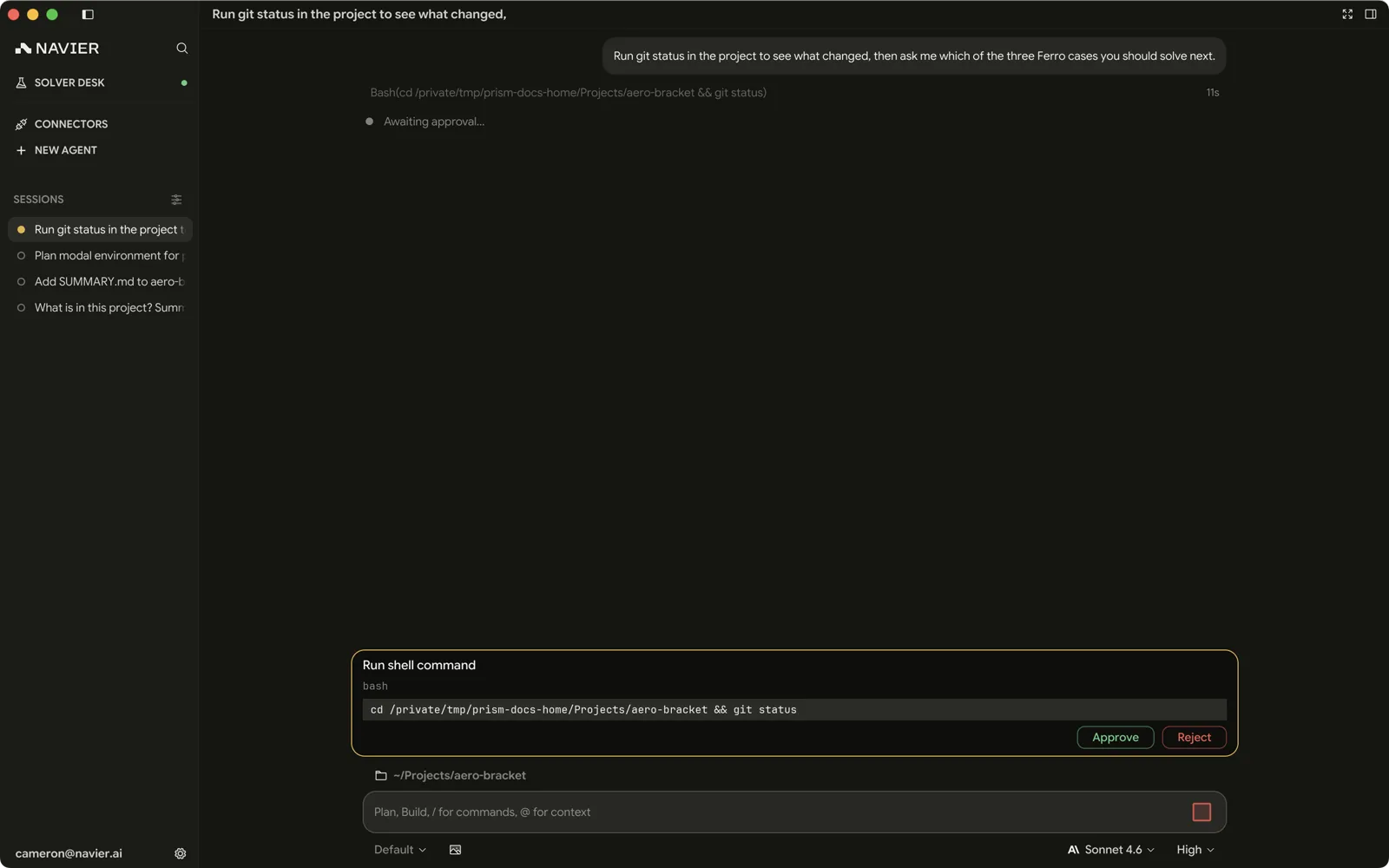
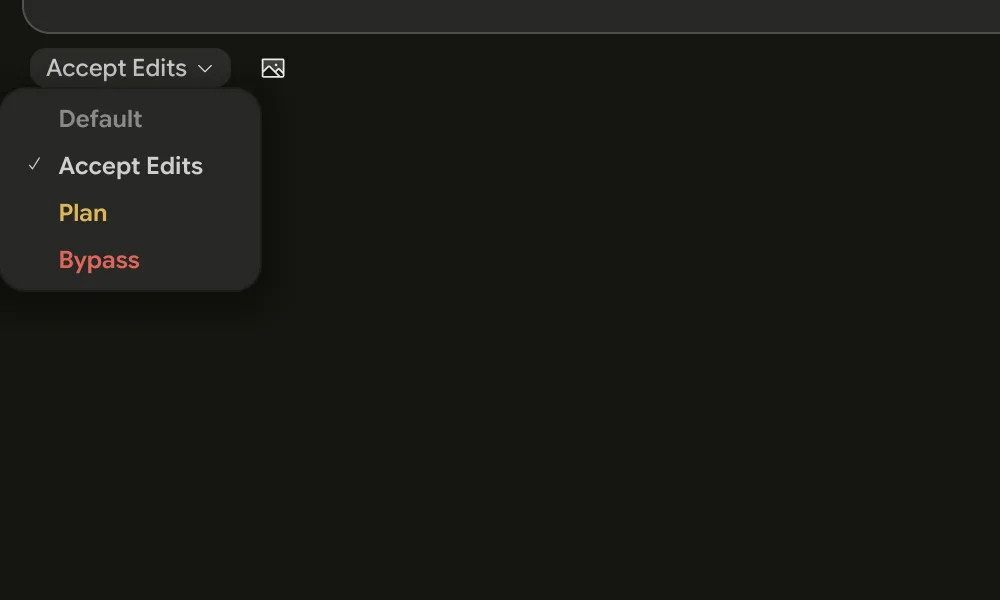
The permission chip in the composer shows the current mode. ⇧Tab with the chat focused cycles through them.
| Mode | File edits | Shell commands |
|---|---|---|
| Manual | Ask every time | Allowlist + recognized skill/attachment read carve-out; otherwise ask |
| Accept Edits | Automatic | Allowlist + recognized skill/attachment read carve-out; otherwise ask |
| Plan | Refused (edit_file, write_file) | Same allowlist + carve-out rules as Accept Edits; otherwise ask |
| Bypass | Automatic | Automatic — the allowlist is ignored |
New installs start on Accept Edits.
The ⇧Tab cycle runs Manual → Accept Edits → Plan → Bypass, with Bypass last so it is never the mode you land on by pressing ⇧Tab once. The Settings picker lists the four in its own order, Bypass first.
Manual
Gated changes stop and ask. Shell allowlist matches and recognized non-TTY skill/attachment reads are exceptions. Manual is the right choice when you are working in a directory where a mistake is expensive — a live case, a repo you have not committed, anything shared.
Accept Edits
File creation and content edits through write_file and edit_file go through
without asking. File renames and deletions use shell commands, which still stop
unless they match your allowlist or the shared skill/attachment read carve-out.
This is the working default and the mode most sessions should be in.
It relies on you reading the diff. Edits being automatic is only safe because they are reviewable.
Plan
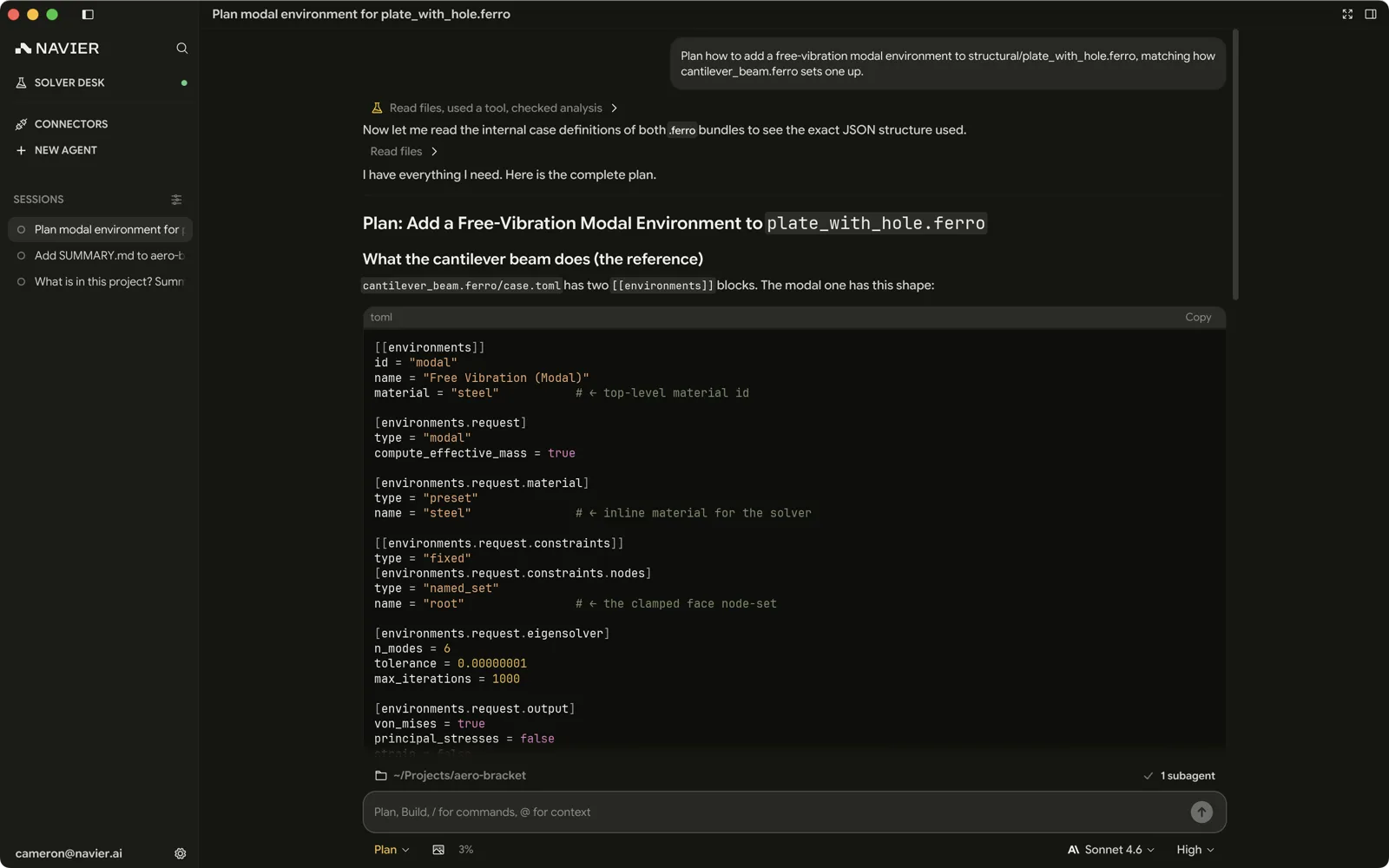
The agent is instructed to research and propose a plan without changing files,
system state, or repository state. edit_file, write_file, external MCP tools, and CAD
code execution are refused. Review the plan, then exit Plan before asking
for implementation — approving the plan does not enable file edits inside Plan.
Shell commands use exactly the same allowlist and non-TTY read carve-out rules as Accept Edits; other commands ask. The agent is instructed not to submit state-changing shell commands or input, even if a rule or approval permits them.
Plan is not a read-only shell or filesystem sandbox. An allowlisted or explicitly approved command can still write or change state. You own the trust granted by your shell rules and approvals.
Judge a dry-run by its effects, not its flag name. Builds, tests, formatters, and validation commands can write caches, logs, artifacts, or state. If unsure, inspect without running the command or exit Plan first.
Use it at the start of anything substantial. It is the cheapest way to find out that the agent misunderstood the problem.
Bypass
Everything is approved automatically and the allowlist is ignored entirely.
In Bypass the agent can run any command your user account can run, including destructive ones, without asking. Use it for a scratch directory or a throwaway worktree, not for your main checkout.
Geometry builds
prism_cad_run executes a build123d script, which can overwrite the STEP and
mesh files already in the project, so it follows the mode rather than running on
its own:
| Mode | prism_cad_run |
|---|---|
| Manual | Shows an approval card |
| Accept Edits | Runs |
| Plan | Refused |
| Bypass | Runs |
Switching mode mid-turn
A mode change rechecks calls that have not run yet, including ones you already approved. Switch to Plan with an approved file edit, external MCP call, or geometry build still waiting and it is refused. Shell commands still follow the shared allowlist/carve-out filter; a prior explicit approval can satisfy a shell or input prompt after the switch. Switch from Bypass to Manual or Accept Edits and an unmatched waiting shell or external MCP call stops to ask.
Changing mode does not stop or freeze already-running processes or clear their remembered sessions. Plan can read their output without containing their effects. Host gating updates immediately, but the agent's refreshed Plan instructions arrive asynchronously; an in-flight response is not rewritten.
The shell allowlist
Approving ls for the two-hundredth time is not security, it is a habit that
teaches you to click Approve without reading. The allowlist exists so that the
prompts you do get are worth reading.
A rule matches on an argv prefix: the parsed command must start with the
words in the rule. A rule of git status matches git status --short but not
git push.

Rules are consulted in Manual, Accept Edits, and Plan. Only
Bypass ignores them because it already approves every shell command.
Saving a rule, including with Always allow on a card, is a trust decision:
a broad rule such as sed can allow writes or execution in Plan too.
Skill and attachment reads
All three modes share a no-prompt exception for non-TTY commands with a bare
head of cat, head, less, ls, rg, grep, or sed, with at least one
detected path and all such paths under the skills directory or the project's
.prism/attachments.
Ordinary project-file reads do not qualify; they still need a matching rule
or approval. Compound commands and rg --pre* do not qualify either.
For example, sed -n '1,20p' .prism/attachments/notes.txt can run without a
card. In-place flags such as -i, -ni, and --in-place (including suffixes
and long-option abbreviations) exclude the sed carve-out, but a user rule can
still allow them. This is only a shallow flag check: sed script writes (w,
W, or s///w) and GNU execution (e or s///e) are not inspected. Script
files and embedded paths are not validated for safety, and attached option
operands are not fully path-checked. The exception is a convenience, not proof
that a program cannot write or execute; conservative flag checks can also
prompt for an unusual flag-looking filename.
Input to running sessions
In Plan, an empty output poll of a remembered exec session runs without a card
(write_stdin with omitted, null, or empty chars). Every nonempty payload
asks, including whitespace, a newline, Ctrl-C, or escape keys. Unknown session
ids ask too. Manual and Accept Edits still allow input to remembered sessions;
Bypass allows it regardless. An approval can permit input, but the agent is
instructed never to use it to bypass Plan's no-change rule.
What the allowlist refuses to match
A command containing shell metacharacters never matches a rule, no matter what its first words are. That covers:
&& || ; | & $( ${
backtick > < newline carriage return
So git status is allowlisted, but git status && rm -rf build is not — it
stops and asks. The prefix match cannot be used to smuggle a second command in
behind an approved first one.
Choosing what to allowlist
Good candidates are read-only, cheap, and frequent:
ls
git status
git diff
git log
cat
rg
Bad candidates are anything that writes, installs, deletes, or reaches the network:
rm
git push
git reset
docker
curl
pip install
Allowlist the commands you are tired of approving, not the commands that would be convenient to skip. If approving it makes you pause, that pause is the feature.
Per-tool approvals
Some tools are gated regardless of mode, because their effect is larger than a file edit. Controlling the solver daemon's lifecycle is the main example — a restart or stop affects runs that may not be yours.
The approval card always shows the concrete call, not a category. Read the arguments, not the tool name.
When the agent asks you a question
Distinct from a permission prompt: the agent can also ask a genuine question — which of two approaches you want, which face is the mounting surface, what material to use. It is told to ask rather than write the choices out as text, so expect a card for any decision that is yours.
The card appears above the composer and the agent waits on it: the question as a heading, numbered options, each with an optional line of description, and an Other row for an answer the options do not cover. Answer it from the card, or just type in the composer. The keys are on Shortcuts.
A question can carry its own context below the heading — the facts, constraints or trade-offs behind the decision — so the card stands on its own instead of asking you to scroll back through the transcript. A long one scrolls in place rather than pushing the options off screen.
You are never cornered by it. Skip leaves a question unanswered and the agent carries on with its best judgment rather than asking again, and the × hands over whatever you have answered so far. Closing Prism mid-question is safe: the agent keeps waiting, and the card is back when you reopen the thread.
A workable default
For most engineering work:
- Sit in Accept Edits.
- Start substantial tasks in Plan, review the plan, then exit Plan before implementation.
- Allowlist a handful of read-only commands.
- Read the diff before you accept a result.
- Reach for Bypass only in a worktree or a scratch directory you would not mind losing.