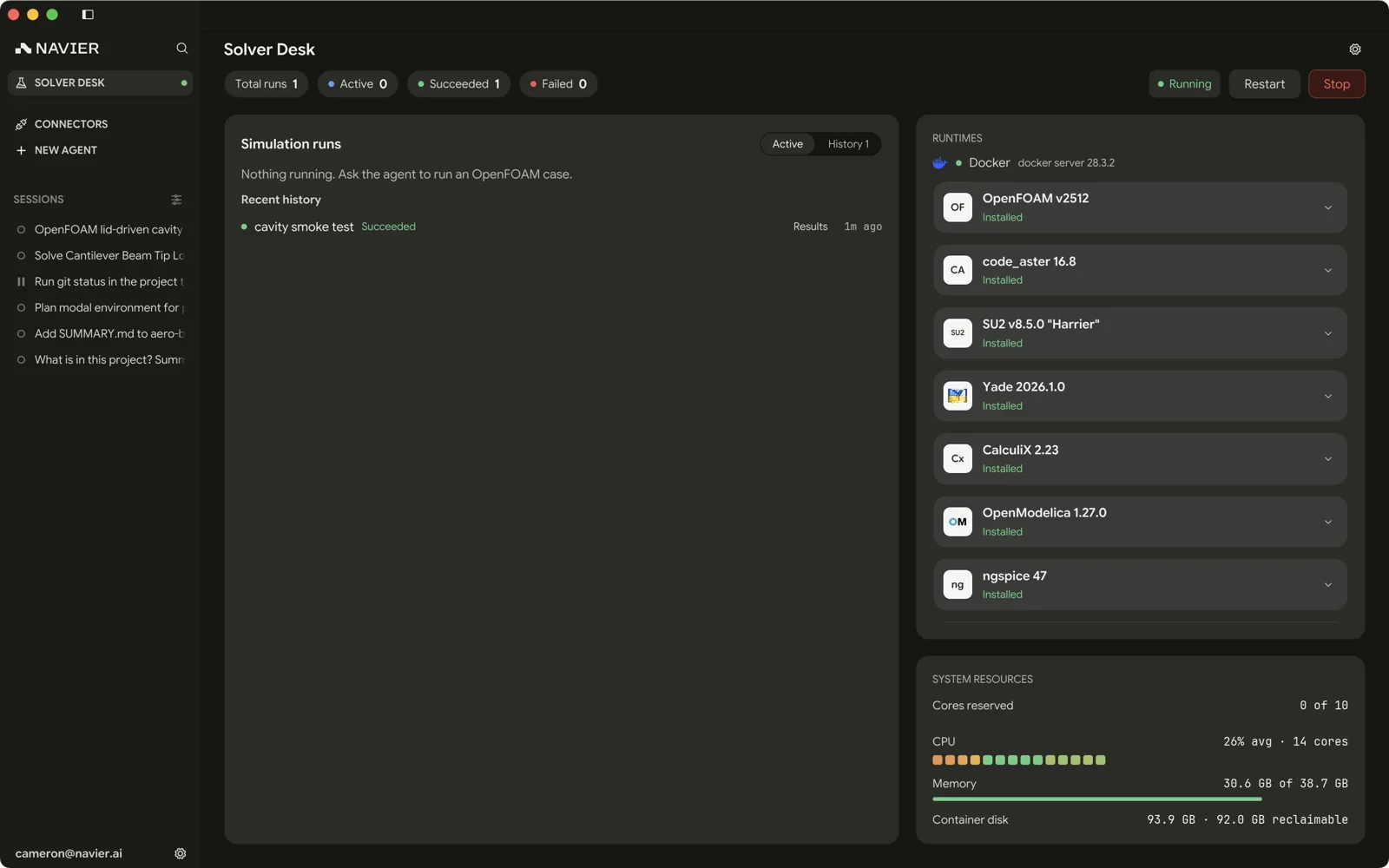
Solver Desk
Third-party solvers run in navier-solverd, a local daemon Prism ships and
supervises. Nothing about OpenFOAM is compiled into Prism — the daemon installs
solvers as container images on request, runs them, tracks the runs, and streams
their logs.
The Solver Desk is the page where you see all of that.
Requirements
A working container engine — Docker Desktop, Podman, Colima, or equivalent — on the same machine. On macOS and Windows, Prism offers to install Docker for you — on the Set up local tools screen at first launch, and from Settings → Local tools after it; on Linux it shows the commands to run instead. The Solver Desk reports whether it found an engine, and installing a runtime pulls a published image.
Environment Setup covers installing it per platform, which endpoint the daemon talks to, how to size the container VM against the daemon's core budget, and the file-sharing rules that apply to your case directories.
The daemon
navier-solverd is spawned detached, not as a child process that dies with
Prism. A CFD solve runs for hours; closing the editor must not kill it.
That has a few consequences worth knowing:
- Restarting Prism reconnects. Prism finds an already-running daemon through its handle file and adopts it, so runs in flight are picked back up rather than orphaned.
- The daemon can outlive the app. It shuts itself down after an idle period with no runs and no requests.
- Stopping it affects everyone. A restart or stop is gated behind an approval when the agent asks for it, because it may kill a run that is not the one being discussed.
What the status chip means
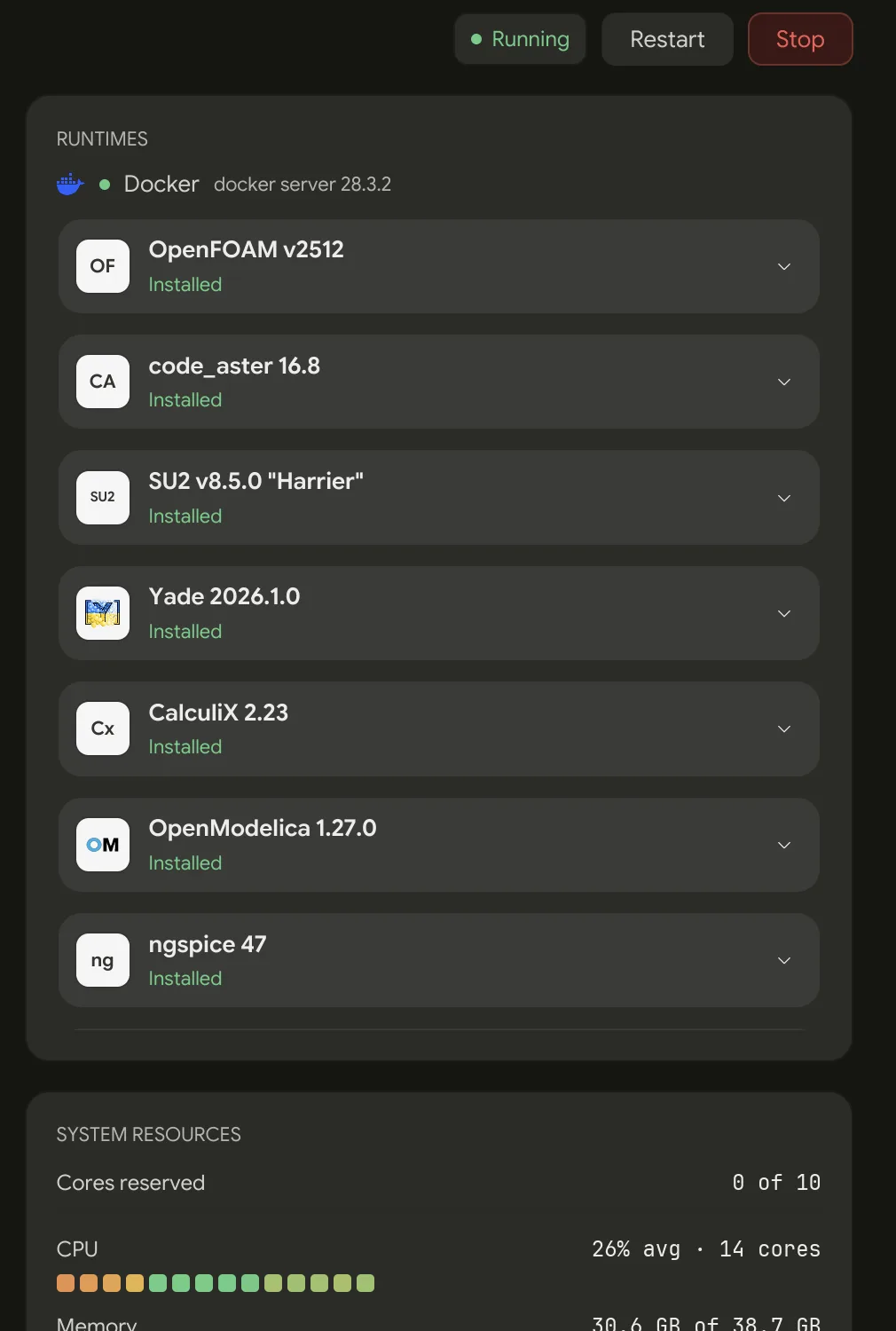
The chip on the desk and the dot on the sidebar row read the same state:
| Chip | Colour | What it means |
|---|---|---|
| Checking… | Grey | The first refresh has not answered yet |
| Running | Green | The daemon answers and Docker reports healthy — the desk can run a case |
| Running | Amber | The daemon answers, but Docker is unavailable or unreported |
| Stopped | Grey | No daemon, or a stale handle left by one that is gone |
| Unavailable | Amber | No per-user data directory, so no daemon can be started here |
| Not responding | Red | A daemon is there but not answering |
| Incompatible | Red | The daemon speaks a protocol version this build does not |
Green means both halves are good, so an amber Running is the state to read carefully: the daemon is fine and the container engine is not, so nothing the desk installs or runs locally will start. The engine's line in the card below says what is wrong. Right-clicking the chip opens the daemon's own log.
The container engine line
Separate from the chip, the environment card gives the engine a line of its
own, while the daemon is running and the desk is not showing
NavierAI Cloud runs, which never touch it. Healthy, it names the engine and
its version — Docker, or Podman where that is what answered. Hover it for the
endpoint it reached, so a stale DOCKER_HOST or an engine you did not expect
is visible rather than inferred.
Unhealthy, the line states the fault and nothing else:
| What it says | What happened |
|---|---|
| No container engine found | Neither Docker nor Podman was found |
| The container engine isn't running | Nothing listening on its endpoint |
| The container engine isn't responding | It accepts connections and never answers |
| No permission to use the container engine | Running, but not usable by you |
| The Podman machine is stopped | Podman's VM is down |
| Podman's API socket is off | Rootless Podman, socket unit disabled |
| WSL isn't set up | Windows, with WSL 2's features off |
| The container engine reported an error | Anything else — open Details |
How to fix it waits behind Details at the right of the line, because the
fix depends on what provides the engine: a stopped Colima gets
colima start, a stopped Podman machine podman machine start, Docker Engine
on Linux sudo systemctl start docker, and an app like Docker Desktop,
OrbStack, or Rancher Desktop is named and told to start. Details also carries the engine's own error text, but only for The
container engine reported an error.
Some states also carry a button beside the line:
| Button | When |
|---|---|
| Install Docker | Nothing is installed — opens Docker's download page |
| Start Docker Desktop | Docker Desktop is installed but stopped, on macOS and Windows |
| Start Podman | Podman's machine is stopped, or is the stopped provider — runs podman machine start for you |
| Set up WSL | Windows, with WSL 2's features off — opens Settings → Local tools |
On Windows, containers run on WSL 2, and an engine that looks stopped on a PC with WSL 2's Windows features turned off reads WSL isn't set up rather than blaming the engine. Nothing starts it: the fix is the Docker install in Settings → Local tools, which turns the features on through one administrator prompt and then needs a restart, and Set up WSL opens that page.
An engine still reading isn't responding gets no button, because launching an app that is already running changes nothing. Neither does an engine provided by something Prism does not start for you. The Details instructions are the fix in both cases, and they are there whether or not a button is.
While the engine is down, container runtimes drop their install status rather than each repeating the same fault. A new run of one refuses to start for the same reason and says so — CalculiX runs in a container. The container engine isn't running.
The sidebar dot keeps checking while the desk is closed, so a daemon or a Docker that stopped behind your back shows up within about half a minute rather than waiting for you to open the page.
Runtimes
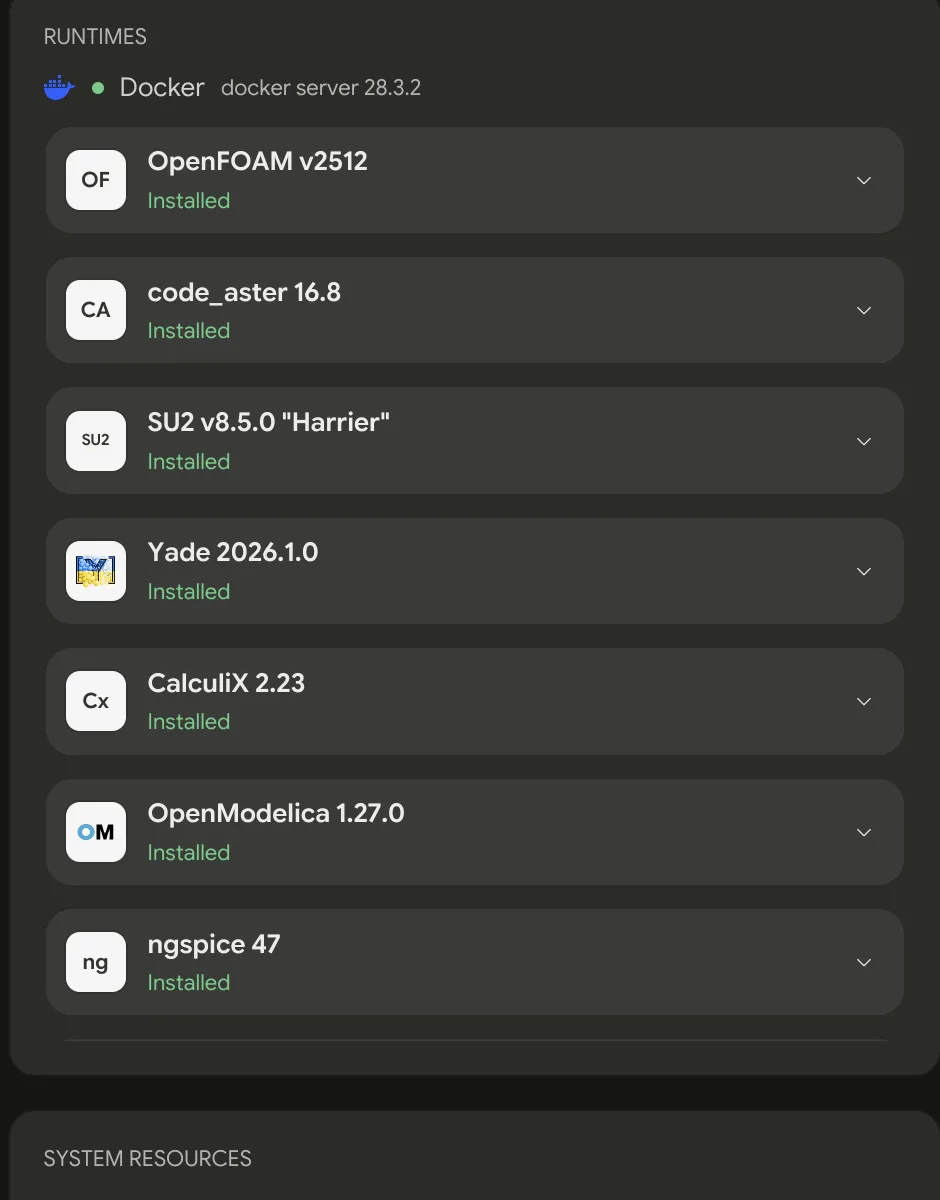
Twelve solver families ship in the built-in catalog. A build of Prism is a statement about which versions it supports; the images are pulled on demand, and only when you ask.
| Family | Version | What it is for |
|---|---|---|
| OpenFOAM | v2512 | General-purpose CFD, turbulence, heat transfer, and more |
| code_aster | 17.5.4 | Structural, thermal, acoustic, and other continuum FEA |
| SU2 | 8.5.0 "Harrier" | CFD, PDE-constrained analysis, and aerodynamic shape optimization |
| Yade | 2026.1.0 | Discrete-element simulation of granular and particulate materials |
| CalculiX | 2.23 | Linear and nonlinear structural, thermal, and dynamic FEA |
| OpenModelica | 1.27.0 | Modelica-based simulation of coupled physical systems |
| ngspice | 47 | Analog, digital, and mixed-signal circuit simulation |
| Elmer FEM | 26.2.1 | Multiphysics for fluids, structures, heat, electromagnetics, and acoustics |
| Basilisk | 2026-07-20 | Adaptive-grid fluid and multiphase-flow simulation |
| Project Chrono | 10.0.0 | Multibody and multiphysics simulation, contact, and granular systems |
| openEMS | 0.0.36 | 3D full-wave electromagnetic simulation with FDTD |
| Palace | 0.17.0 | Parallel 3D finite-element electromagnetics in frequency and time domains |
Several of these are Navier-built because upstream publishes no pinned runtime image — a catalog entry's version has to be a promise about what that id means, and a tag that tracks whatever the distribution rebuilt today is not one.
Each runtime carries its own licence notice, shown before you install it.
Single-precision OpenFOAM
OpenFOAM ships as two runtimes of the same v2512 release: openfoam-2512, the
double-precision default, and openfoam-2512-sp, a Navier build compiled
single precision. Both read the same case, so a case meshed on one solves on
the other with nothing to convert. Single precision holds each field value in
half the memory, which is what buys the SP runtime its smaller footprint and
its lower memory traffic per iteration.
The rule is mesh in double precision, solve in single. Keep blockMesh,
snappyHexMesh, the *ToFoam converters, and anything else that writes
geometry on openfoam-2512, and run checkMesh there before switching — the
daemon does not stop you running them on the SP runtime, so the split is yours
to keep.
SP suits incompressible or low-Mach external aero, large transient runs bound by memory bandwidth, and sweeps once a double-precision reference exists. Stay in double precision for compressible cases with absolute pressure, conjugate heat transfer or any small-ΔT problem, long integrations where round-off accumulates, and any case you have not validated yet.
Installing
Installing pulls a container image. These are large — expect a wait on the first install of a family, and expect it to be the slowest thing in your first session.
Progress is reported on the runtime's own row while the pull runs, and the
runtime flips to Installed when the image is on disk. Both registries the
catalog uses — docker.io and ghcr.io — have to be reachable; see
Environment Setup.
Custom runtimes
Point Settings → Solvers → Catalog path at a JSON file of runtime descriptors to add your own — a locally built OpenFOAM, a private image, a different version. An entry whose id matches a built-in one replaces it, so you can repoint a runtime without forking anything.
The daemon reads this at startup, so a change takes effect on its next start.
Runs
The Solver Desk lists runs in two tabs:
- Active — queued and running. What is happening now.
- History — everything finished, newest first.
| State | Meaning |
|---|---|
| Queued | Waiting for capacity |
| Running | Executing |
| Succeeded | Finished cleanly |
| Failed | The solver returned an error |
| Canceled | You stopped it |
| Interrupted | The daemon stopped while it was executing — nobody cancelled it and nothing failed, so rerun it |
A failed run carries the reason under its title in History. A local stage that
ran and failed names the application and how it ended —
simpleFoam exited with status 1., simpleFoam ended without an exit status.,
or simpleFoam ran out of memory and was killed. A run that never started
carries the container engine's fault, and a cloud run carries whatever the
cloud reported.
A run killed for memory is named as that rather than left as an exit status, because the container engine reports the kill directly. Give the engine more memory, or run a smaller case.
The desk shows only what the daemon actually measured. A statistic it did not take leaves its row out entirely, rather than filling the space with a plausible-looking number nobody measured.
Driving it from the agent
In practice you rarely click through the Solver Desk — you ask, and the agent
uses the prism_solver_* tools. The solver-daemon skill teaches it the whole
loop.
| Tool | Use |
|---|---|
prism_solver_status | Daemon, Docker, and runtime state. The agent calls this first. |
prism_solver_daemon | Start, restart, or stop the daemon |
prism_solver_install | Install a runtime |
prism_solver_run | Submit a case |
prism_solver_runs | Status read: every run with its state |
prism_solver_logs | Tail the solver log — where a failure explains itself |
prism_solver_cancel | Stop a run still going |
Check the mesh in ./cases/duct, and if it passes, run simpleFoam.
Tell me when it converges or explain why it didn't.
The agent goes through the daemon rather than shelling out to docker — that
is what keeps runs tracked, logs streamed, images recorded, and cancellation
possible. A container started behind the daemon's back is one nobody is
tracking.
Runs are background tasks: a daemon rejection and the eventual completion arrive as notifications in the submitting thread, so the agent never has to poll — it does other work or ends its turn, and the notification wakes it.
Submitting a run opens no tab. A live card appears in the chat above the composer instead, carrying that run's own output — a convergence chart for the families that report residuals, and the log tail otherwise. The Solver Desk lists every run, and the thread's background-work card tracks this one's state; open the results yourself when it finishes.
Per-solver authoring guides cover each input format, one per runtime family.
OpenFOAM also has three application skills of its own —
openfoam-cht-multiregion, openfoam-marine-cfd, and openfoam-sand-casting
— for conjugate heat transfer, marine CFD, and sand casting.
Starting from a template
Every runtime family ships a set of runnable case templates for the agent to start from rather than writing a case from an empty directory. Each is a complete, validated case — a lid-driven cavity and a backward-facing step for OpenFOAM, a hopper discharge and an angle-of-repose test for Yade, a NACA 0012 for SU2, and so on. Nearly all carry a README that names the knobs worth turning and where they live, states the runtime and roughly how long the case takes, and gives the analytical or experimental result it is validated against.
So ask for a physical setup rather than a file, and say what you want varied: "set up a hopper discharge and sweep the orifice diameter" lands on a working case.
Settings
Settings → Solvers controls how the daemon runs.
| Setting | Effect |
|---|---|
| Cores | Cores the daemon commits to solvers, overriding its auto-detected budget |
| Idle shutdown | Minutes with no runs and no requests before the daemon exits |
| Catalog path | A JSON file of extra or override runtime descriptors |
| Port | The port the daemon binds, overriding its default |
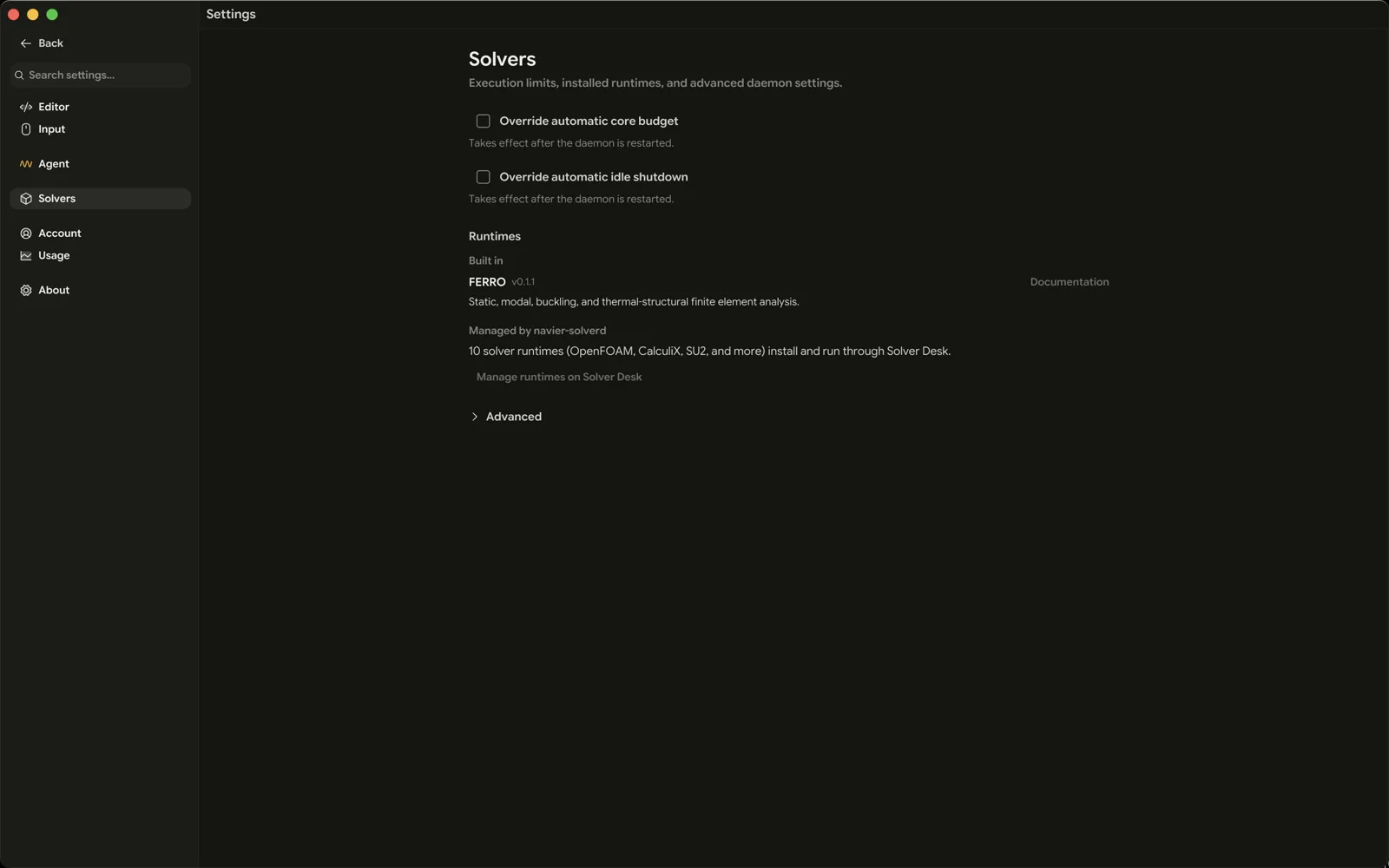
All four take effect on the daemon's next start. The daemon reads them once at startup and does not hot-reload, so change them and then restart it.
When a run fails
- Read the reason on the row — it names the application that failed and how it ended.
- Read the log.
prism_solver_logs, or the Logs tab of the resulting.nvo. Solvers explain themselves there and almost nowhere else — though a run killed for memory is unlikely to explain itself there, since the kill came from outside it. - Check the mesh first. A large share of OpenFOAM failures are mesh failures wearing a solver's error message.
- Check the state. Interrupted is not Failed — nothing went wrong, the daemon stopped. Rerun it.
- Check capacity. A run stuck in Queued is waiting on the core budget.
See Troubleshooting for the specific failure modes.