Reviewing Changes
An agent that edits your files is only as safe as your ability to see what it edited. Prism gives you two things for that: a thread diff that shows this conversation's tracked file edits, and worktrees that keep a thread's work off your checkout entirely.
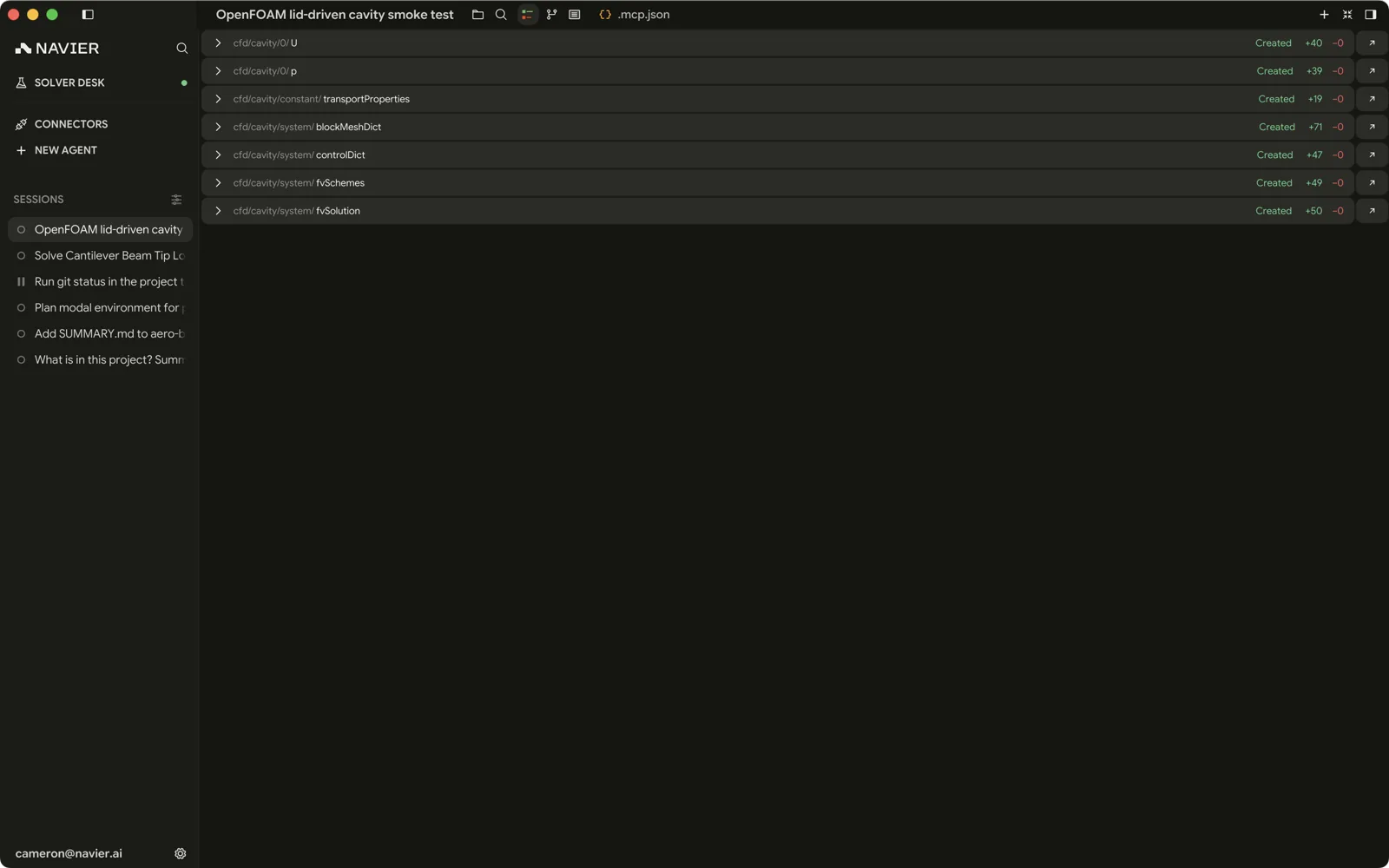
The thread diff
⌘D / Ctrl+D opens it.
The diff is built from successful edit_file and write_file tool calls in
this thread, with the content before and after. Historical tracked file
deletions also remain visible. File renames, deletions, or content changes made
through shell commands are not recorded in the thread diff or its rewind
history. That has two consequences worth knowing:
- It is not
git diff. It deliberately ignores git status and the current state of disk. Untracked files show up, and so do changes in a directory that is not a repository at all. - It is per thread. Two threads working on the same workspace each show their own change set, not the union.
Consecutive edits to the same file are grouped into one reviewable change when they chain cleanly, so a file the agent rewrote four times reads as one before-and-after rather than four.
A change to line endings or to the final newline is called out above the hunks, counting LF and CRLF lines before and after and naming the final terminator. In a file with mixed endings it also names the first line whose terminator differs. An edit that changes nothing but the endings has no hunks at all, and that note is the whole change — otherwise it sits above the text changes it came with.
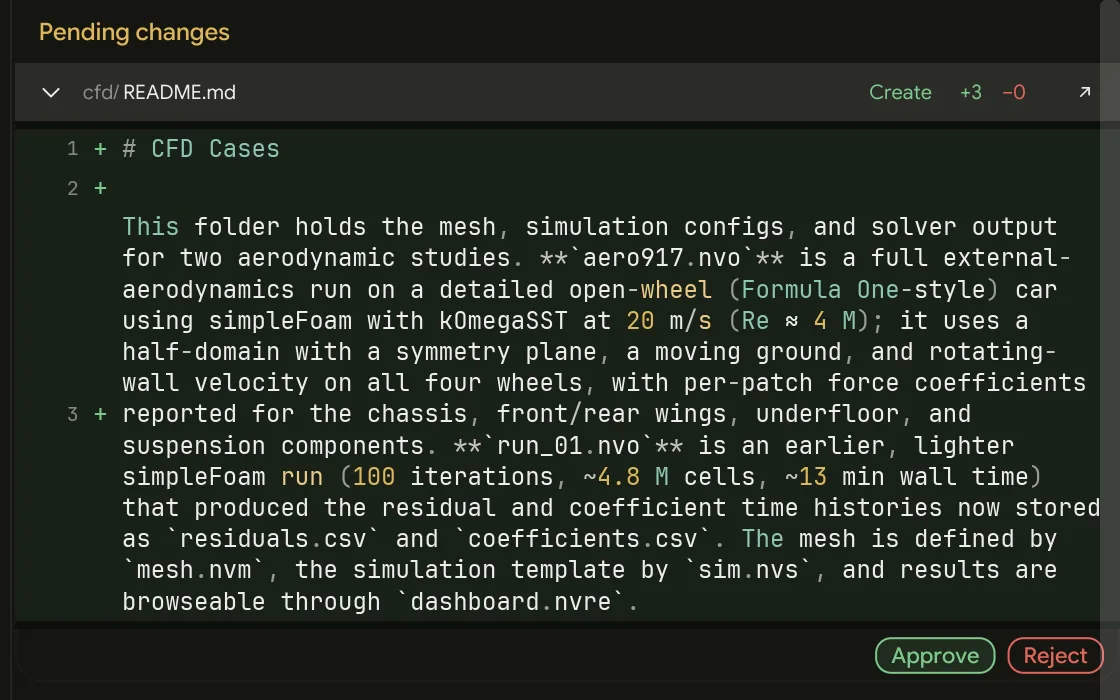
How to actually review
The diff is not a receipt to glance at. A short checklist that catches most of what goes wrong:
- Files you did not expect. A change outside the area you asked about is the single strongest signal something went sideways.
- Numbers. Units, magnitudes, signs. The agent will confidently write
500where you meant500e3. - Deletions. Anything removed that you did not ask to have removed.
- Config the solver reads. A boundary condition, a material, a mesh refinement level — these decide the answer, and a plausible-looking wrong value produces a plausible-looking wrong result.
Review before you run, not after. Checking the case setup costs a minute; discovering the error after a four-hour solve costs the solve.
Worktrees
When the workspace is a git repository, a thread can work in its own git worktree — a separate checkout on its own branch, in a sibling directory — instead of on your working copy.

Turning it on
The worktree toggle appears in the composer of a new, empty thread that is grounded in a git repository. It is not available once the thread has messages — the root is fixed by then — nor on a thread that already has one.
Click it to arm. The chip beside it shows the base branch the worktree will
cut from; click that to pick a different one. Prism resolves a sensible default
— the remote's declared default branch if it has one, otherwise main,
master, or your current branch — so repositories that default to something
else work without surprise.
The worktree is created when you send the first message. Until then nothing has happened, and the toggle resets after that send: it is a deliberate per-thread opt-in, not a sticky preference.
After it exists
Once provisioned, the branch chip becomes an inert label. A worktree's fork point cannot change after the fact, so there is nothing to click.
The thread's root now points at the new checkout. Everything the agent does — edits, commands, solves — happens there. Your original working copy is untouched, and you can keep working in it in another thread.
Cleaning up
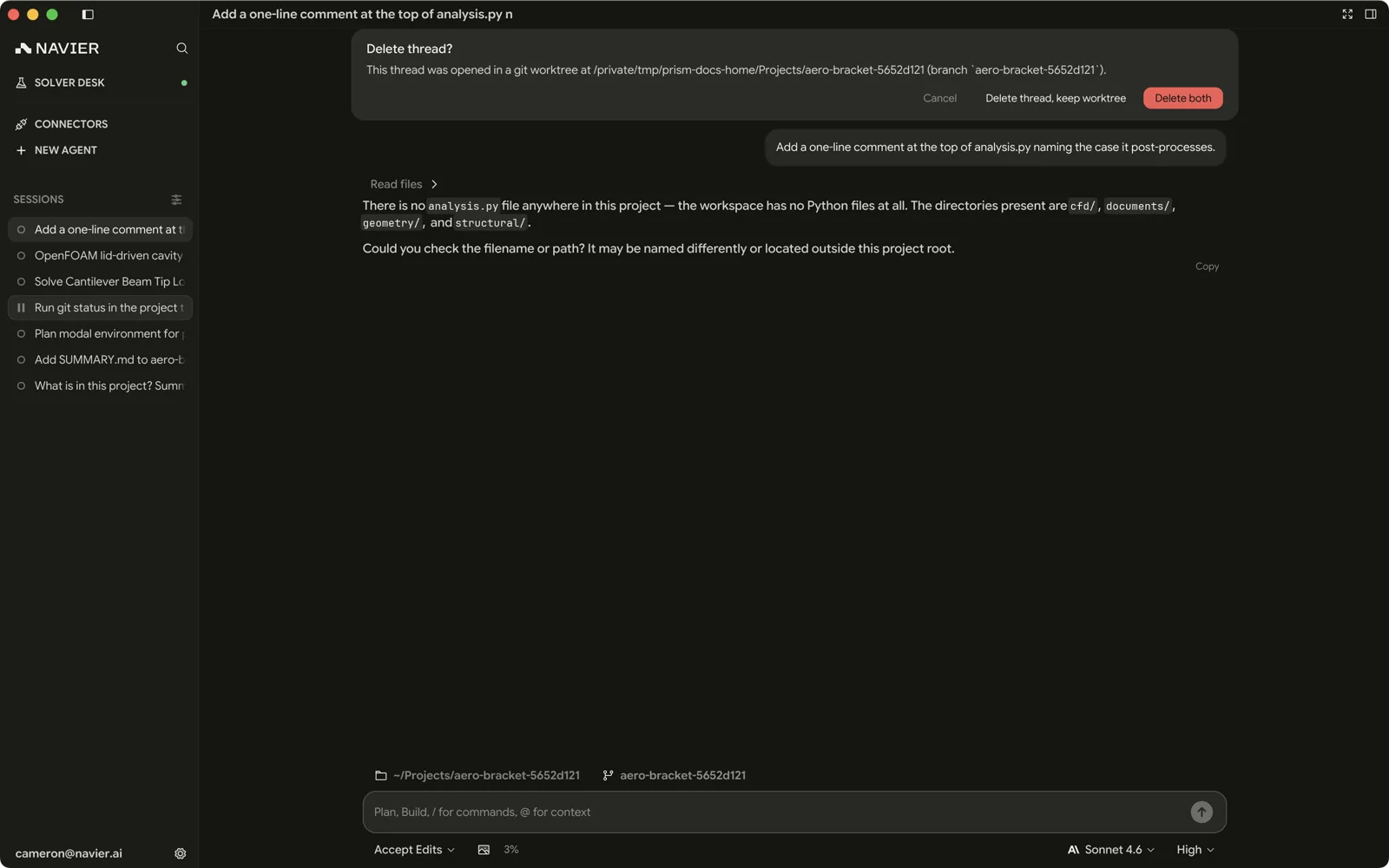
Deleting a worktree-backed thread prompts before removing anything, with the option to also remove the worktree and delete its branch. Declining leaves the checkout in place, so work you have not merged is not thrown away by a thread deletion.
When to use one
Use a worktree when:
- You want the agent working on a repository you are also editing.
If something went wrong
- Interrupting does not undo. ⌃C stops the turn; files already written stay written. Check the diff.
- Uncommitted work is not recoverable from Prism. There is no undo for Git: Discard Changes, and the agent does not keep its own backups. Commit before handing a repository to an agent in a permissive mode.
- A clean checkout is the cheapest safety net. Commit, then let the agent
work;
git diffandgit checkout .remain available whatever happens in the app.