Skills
A skill is a workflow guide the agent loads on demand — how to author a Ferro case, how to drive the solver daemon, how to build a conjugate heat-transfer case in OpenFOAM. Skills are what make the agent good at specific engineering work rather than generically capable.
How they work
Each skill is a folder containing a SKILL.md and any reference files it
needs. The frontmatter carries a name and a description; the body
carries the actual instructions.
The agent sees only the name and description up front. When a task matches one, it reads the body from disk and follows it. That is why skills scale: thirty skills cost thirty one-line descriptions of context, not thirty documents.
Prism ships its bundled skills to your config directory on first launch and refreshes them when you upgrade:
<config>/prism/skills/
├── .system/          ← bundled skills, replaced on upgrade
│   ├── ferro-config-skill/
│   ├── solver-daemon/
│   └── …
└── my-skill/         ← your own skills, never touched
A skill of yours with the same name as a bundled one overrides it. That is
the supported way to customize shipped behaviour — copy it out of .system/,
edit it, and it wins.
Do not edit anything under .system/ directly. It is wiped and
rewritten whenever the bundled skills change, which is every upgrade that
touches them.
Browsing and toggling
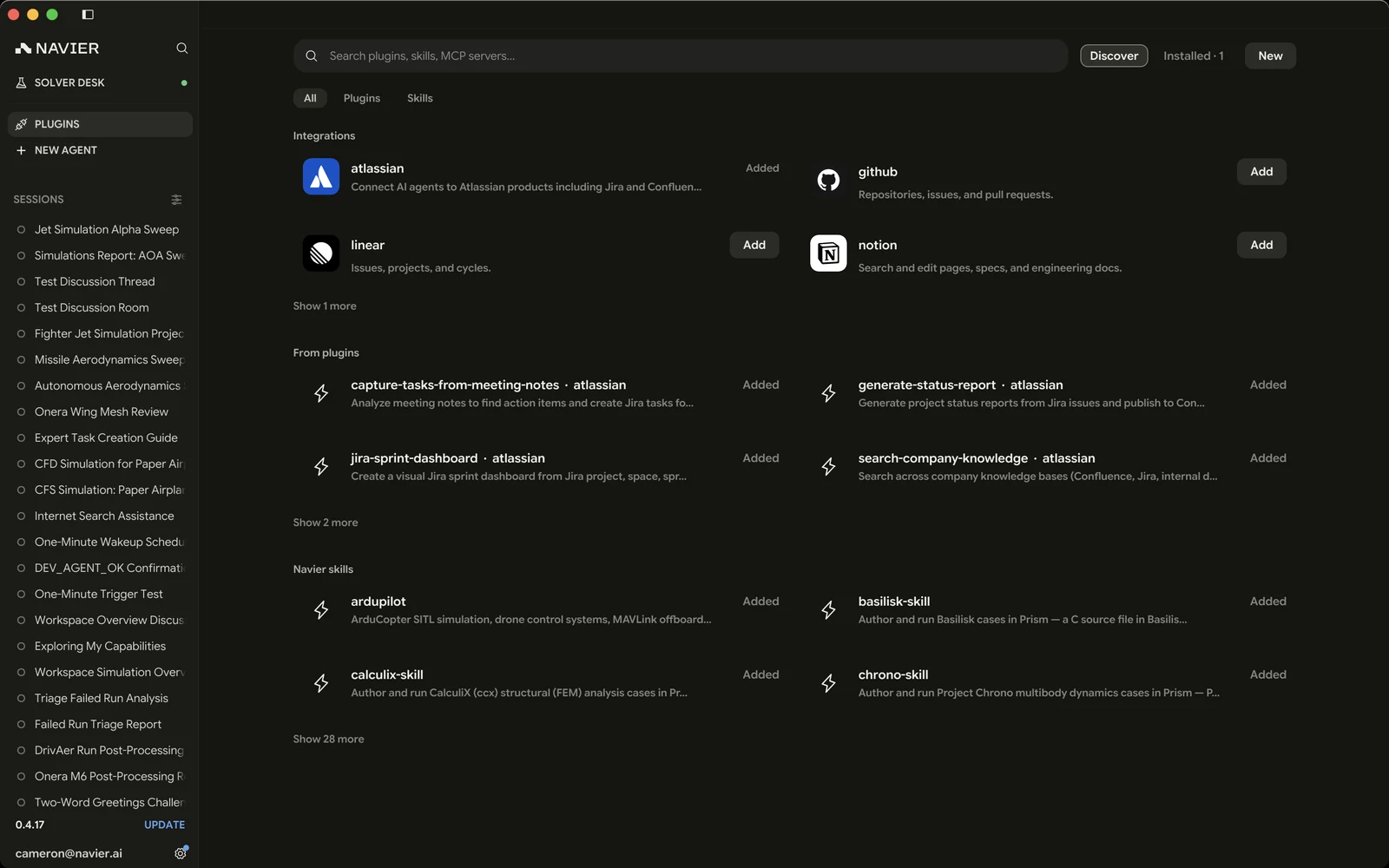
The Skills scope on the Plugins page lists every skill available — your own, the ones plugins contribute, and Navier's. They are on by default; turn one off and the agent stops seeing it entirely. A plugin's skills are the exception — they follow the plugin's own switch.
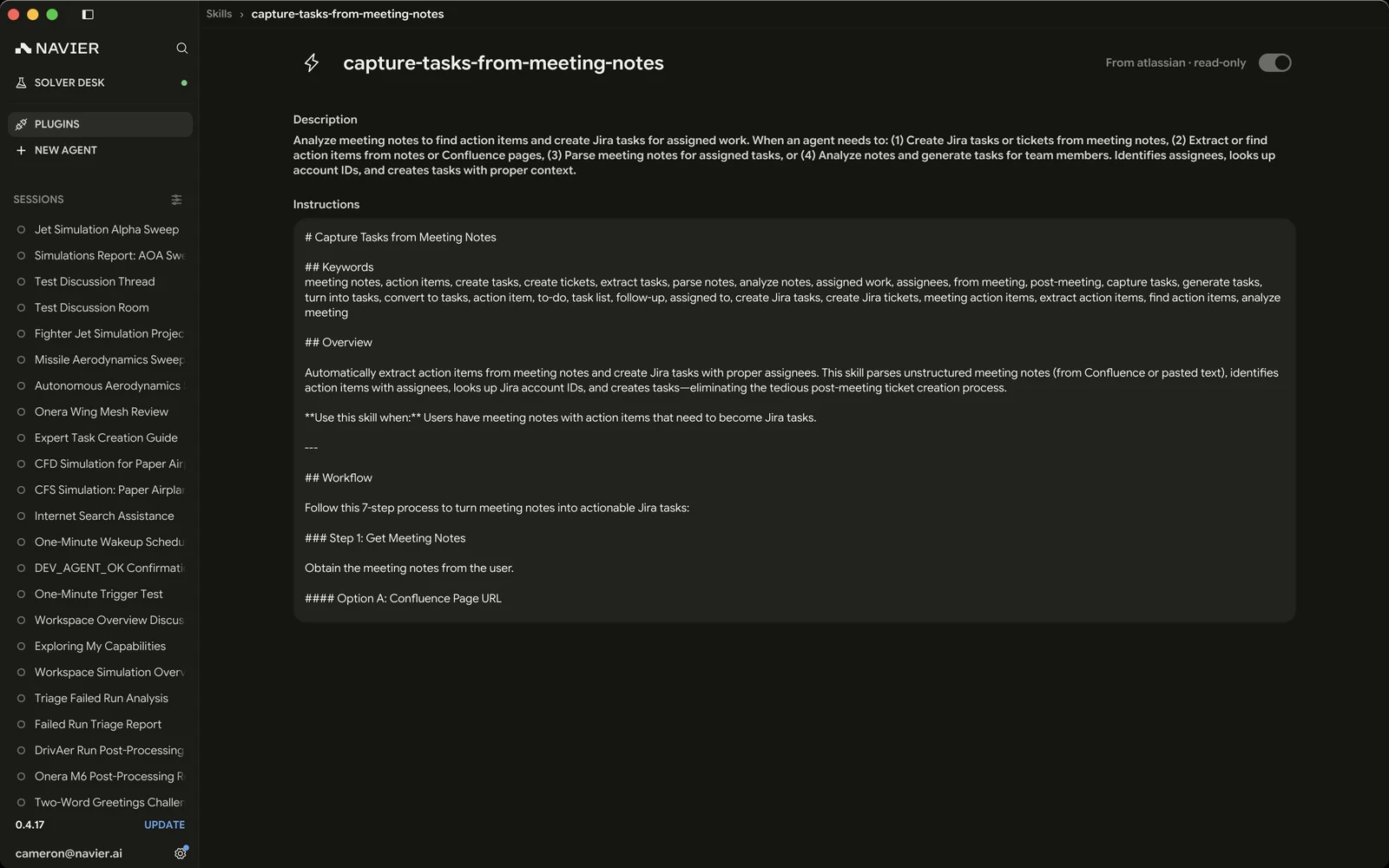
Turning a skill off is useful when it is pulling the agent toward a workflow you do not want for this project.
What ships with Prism
Design and CAD
| Skill | For |
|---|---|
design-engineer | The overall process for any "design me a part / assembly / system" request |
code-cad | Authoring parametric geometry as a build123d Python script |
design-to-cad | Designing parts that bolt to existing imported CAD |
meshing-for-fea | Producing an FEA-ready mesh with the physical groups the analysis needs |
Analysis
| Skill | For |
|---|---|
ferro-config-skill | Authoring and solving a one-off Ferro structural case |
structural-design-study | Iterating a parametric part to a passing, minimum-mass design |
nvpost-scene | Building an .nvpost 3D view over a case or dataset |
Third-party solvers
solver-daemon covers the daemon itself and the general run loop, plus a
per-solver authoring guide for each supported solver family's input format:
openfoam-cht-multiregion, openfoam-marine-cfd, and openfoam-sand-casting
are separate skills, one per OpenFOAM application area, sharing the case grammar
that solver-daemon holds for them;
Code_Aster, SU2, CalculiX, Elmer, Yade, OpenModelica, ngspice, Basilisk, and
Chrono are covered by guides bundled with solver-daemon. openEMS and
Palace guides cover the two electromagnetic runtimes.
Deliverables
| Skill | For |
|---|---|
presentations | Polished, editable PowerPoint decks |
Modeling and simulation
stellarust for building, running, and analyzing Rust block-diagram models,
and inspecting .stella and .bode results in Prism. It covers SDK setup,
model composition, control, estimation, and deployment without prescribing a
particular application. A Stellarust SDK and Rust toolchain are required separately.
ardupilot covers ArduCopter SITL and MAVLink.
Writing your own
A skill is worth writing when you find yourself explaining the same thing to the agent repeatedly — your organization's material conventions, a naming scheme for cases, the steps in your validation process.
Create one from the Skills tab, or by hand:
<config>/prism/skills/my-workflow/SKILL.md---
name: my-workflow
description: One sentence on when the agent should reach for this skill.
---
# My workflow
The instructions, conventions, and rules the agent should follow.
Reference bundled files in this folder by relative path.What makes a good skill
- The description is the trigger. It is the only part the agent sees before deciding to load the skill. Write it as "use this when…", concretely, naming the tools and file types involved.
- Be prescriptive in the body. A skill is not documentation for a human — it is instructions. Say what to do, in order, with the exact tool names.
- Name the failure modes. "Do not shell out to
docker; use theprism_solver_*tools" is worth more than three paragraphs of context. - Keep resources beside it. Templates, example inputs, and reference material go in the same folder and are referenced by relative path.
Skills vs. MCP servers
They solve different problems, and it is worth not confusing them:
- A skill is knowledge. It teaches the agent how to do something with tools it already has.
- An MCP server is capability. It gives the agent tools it did not have.
See Plugins & MCP.