Plugins & MCP
A plugin is a folder that gives the agent capability it does not ship with: MCP servers (Model Context Protocol) for tools, skills for know-how, or both. Prism runs them locally on your behalf.
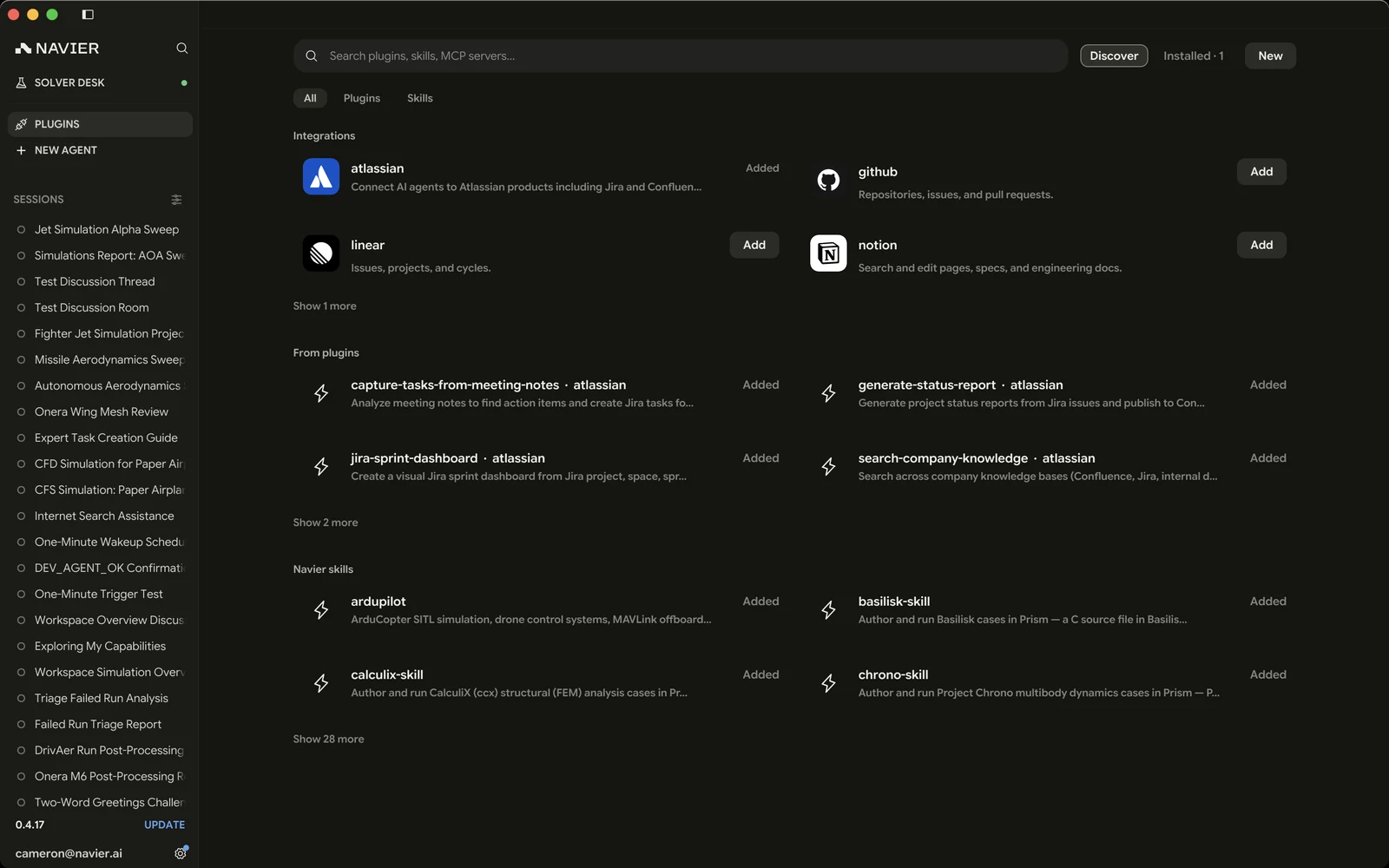
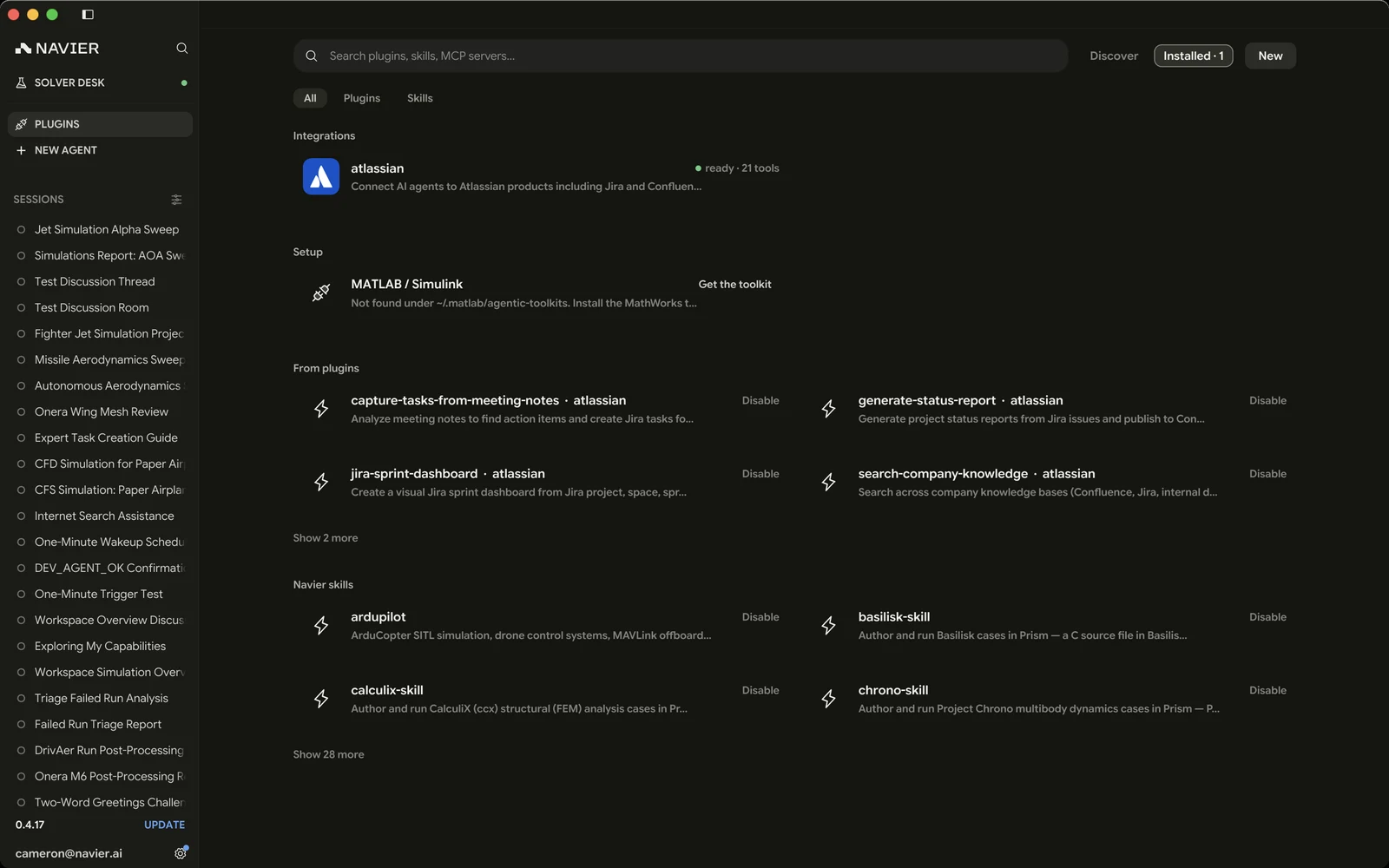
The Plugins page
Plugins live on their own full-width page rather than in Settings, because browsing many small similar things is the point. Open it from PLUGINS in the sidebar.
It is one list, not a store and a library. A Plugins · N / Skills · N switch picks which of the two you are looking at, and the search box covers that scope — plugin names, descriptions, categories, and publishers, or skill names, sources, and what they do.
Category and Status narrow the list — Installed is a filter, so a search and a category still apply inside it — and N of M plugins under the menus says how much is hidden. The skills scope gets the same pair, by source and on or off.
A row reports its own state, so you do not have to open a plugin to find out whether it can run. One you have not installed carries Add. One you have installed says what it is actually contributing — the first of these that applies:
| Row reads | Meaning |
|---|---|
| Waiting… | A sign-in or connection you started is still running |
| Not signed in | On, but a server is still waiting for sign-in |
| Off | Installed and switched off — the agent cannot use it |
| N skills | Carries skills and no servers |
| Nothing to run | Loaded with neither servers nor skills |
| Error | A server failed |
| Connecting… | A server is still negotiating |
| N tools | On, connected, and advertising that many tools |
An installed plugin's row is state only: nothing on it signs you out or removes anything.
Add starts the sign-in itself when the plugin has a server that wants one, so adding and signing in are usually one step. Cancelling that sign-in, or failing it, puts the plugin back exactly as it was — it is not left half-added.
Not signed in is therefore the state of a plugin that is added and on but whose sign-in has not been completed, or has since lapsed — after a Log out, for instance. Sign in on the server's own row under MCP servers on the plugin's page, as Authenticate, Enter token, or Connect account, depending on what that server wants.
A server Navier hosts on your behalf says so on its row and uses the account wording throughout: Connect account to sign in, Reconnect to redo it, and Disconnect account rather than Log out. They go through your Prism account.
New creates the two things you can make here: an MCP server from a short form, or a Skill scaffolded from a template.
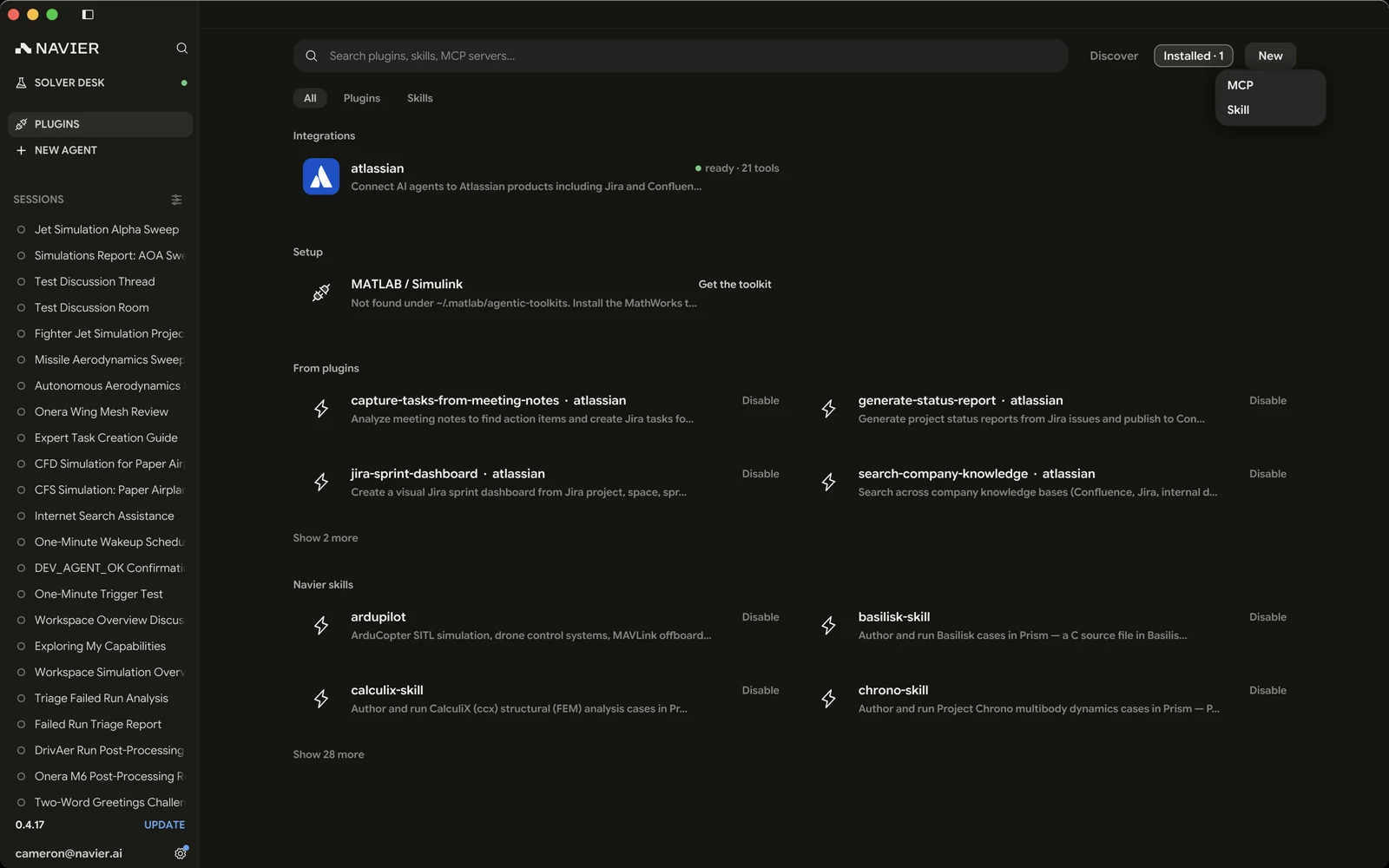
The catalog
Every plugin in the list comes from the signed catalog Prism syncs, and Add downloads it — the entry's own page says how large that download is. A fresh install starts with no plugins on disk, so the agent reaches nothing until you add something.
Five worth adding first:
| Plugin | What it gives the agent |
|---|---|
| Atlassian | Jira and Confluence, plus six skills for common flows |
| GitHub | Repositories, issues, and pull requests |
| Linear | Issues, projects, and cycles |
| Notion | Search and edit pages, specs, and engineering docs |
| Sentry | Errors, issues, and release health |
All five authenticate through your browser. Most use ordinary OAuth — Prism registers itself with the server on the spot, so there is nothing to configure. GitHub uses a device-code flow instead: Prism shows a code, you enter it on GitHub's device page, and the connection completes. A server that wants a bearer token asks for one on its row.
The catalog carries more than these, filed under the nine categories the Category menu lists: CAD & PLM, Code & CI, Communication, Docs & files, Electronics, Manufacturing, Monitoring, Project tracking, and Simulation. What is on offer changes without a Prism release, so the list in the app is the authority, not this page. An entry you have read about elsewhere can be missing from yours: one is offered only where it has a build for your platform, and only to Prism versions new enough for it.
Dev only
Some entries wear a Dev only badge: something about them is not finished — an OAuth verification still pending, a licence question open, a platform not yet tested. A stable build's catalog does not offer them, so you will not see them there; one you had already installed keeps running.
A plugin's page
Clicking a plugin opens its own page: what it is, who wrote it, the category it files under, and everything it contributes.
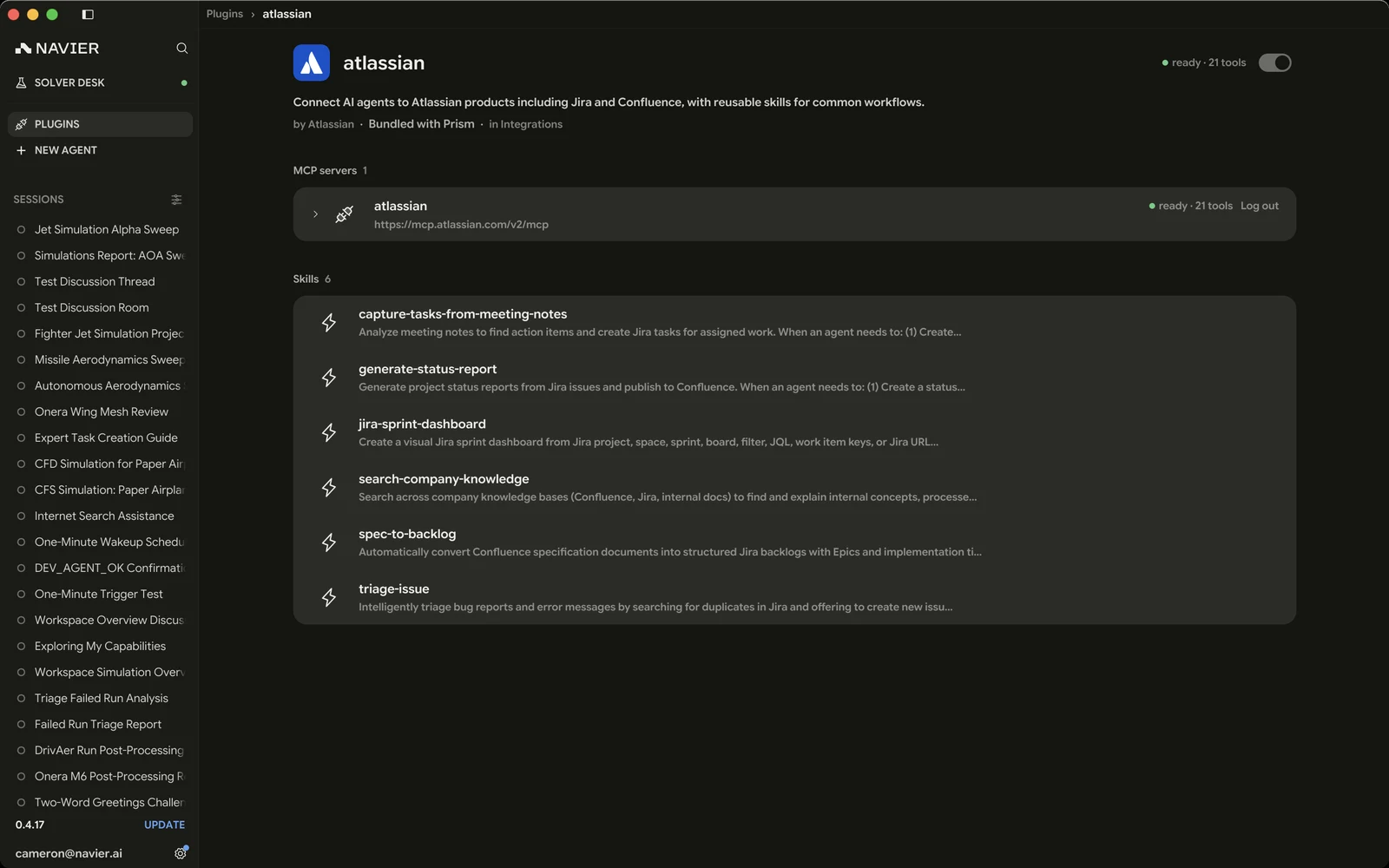
The switch beside the name turns the whole plugin on or off — every server and skill it carries goes with it. Log out, Edit, and Uninstall live here too, and only here: an installed plugin's row reports state and nothing else, so a mis-aimed click in a grid cannot sign you out or remove a plugin. Uninstall deletes the plugin's folder, so it asks first.
The category is a link. Clicking it filters the list to that category.
The plugin's own README
A plugin that ships a README.md has it rendered on its page, on the catalog
entry as well as the installed one, so you can read the setup steps before
downloading anything. Long ones are folded to their intro, with Show more.
Tools fold out of their server
Each MCP server lists the tools it advertises, folded away until you ask.
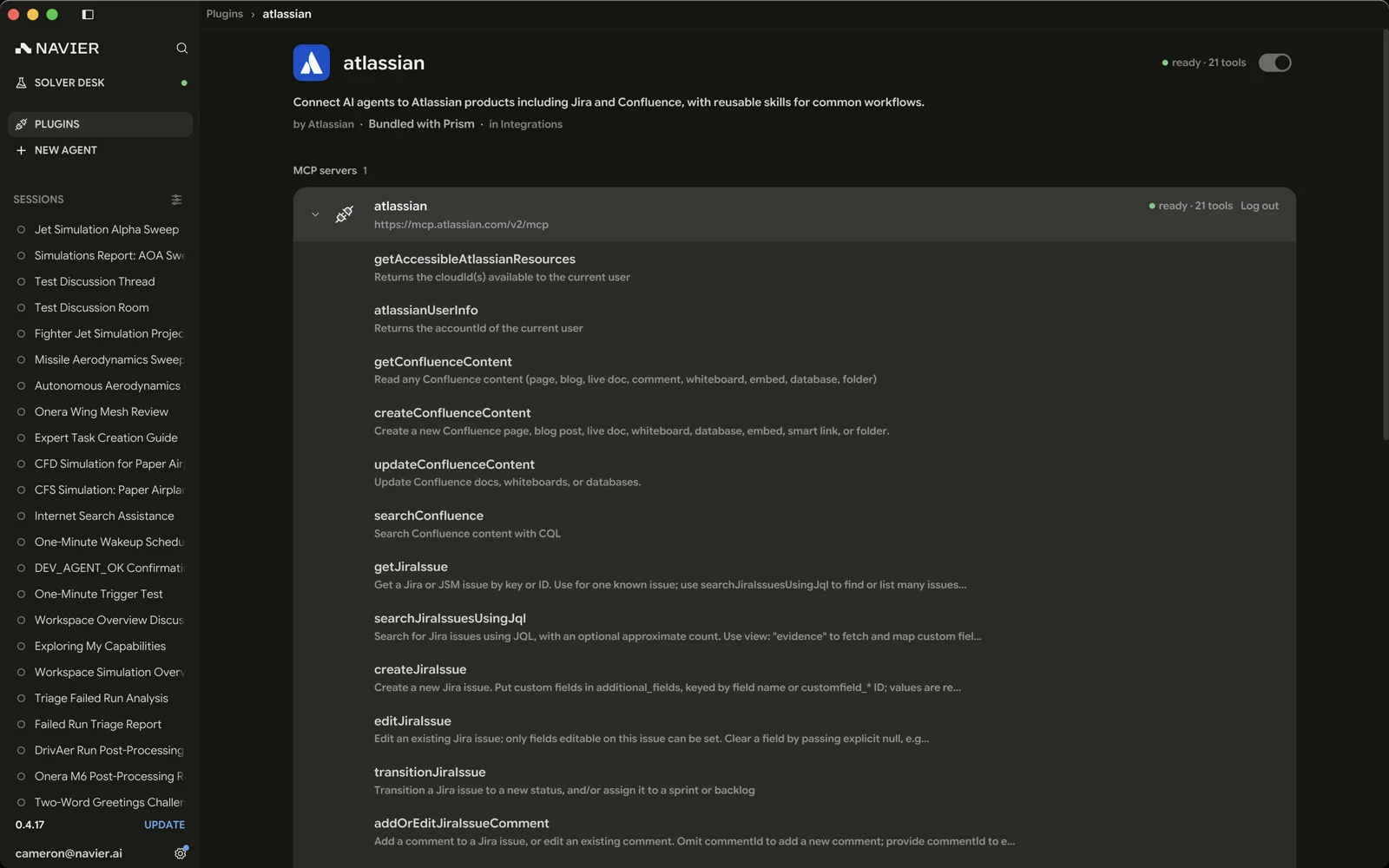
This is the fastest way to see what adding a plugin actually bought you, and what the agent will reach for. A tool's summary is the first line of what the server reports; the rest of its description is schema detail the agent reads and you do not need to.
Skills a plugin carries
A plugin's skills appear on its page and in the Skills scope. Opening one shows what the agent sees — its description and its instructions — with the trail back to the plugin it came from in the title bar.
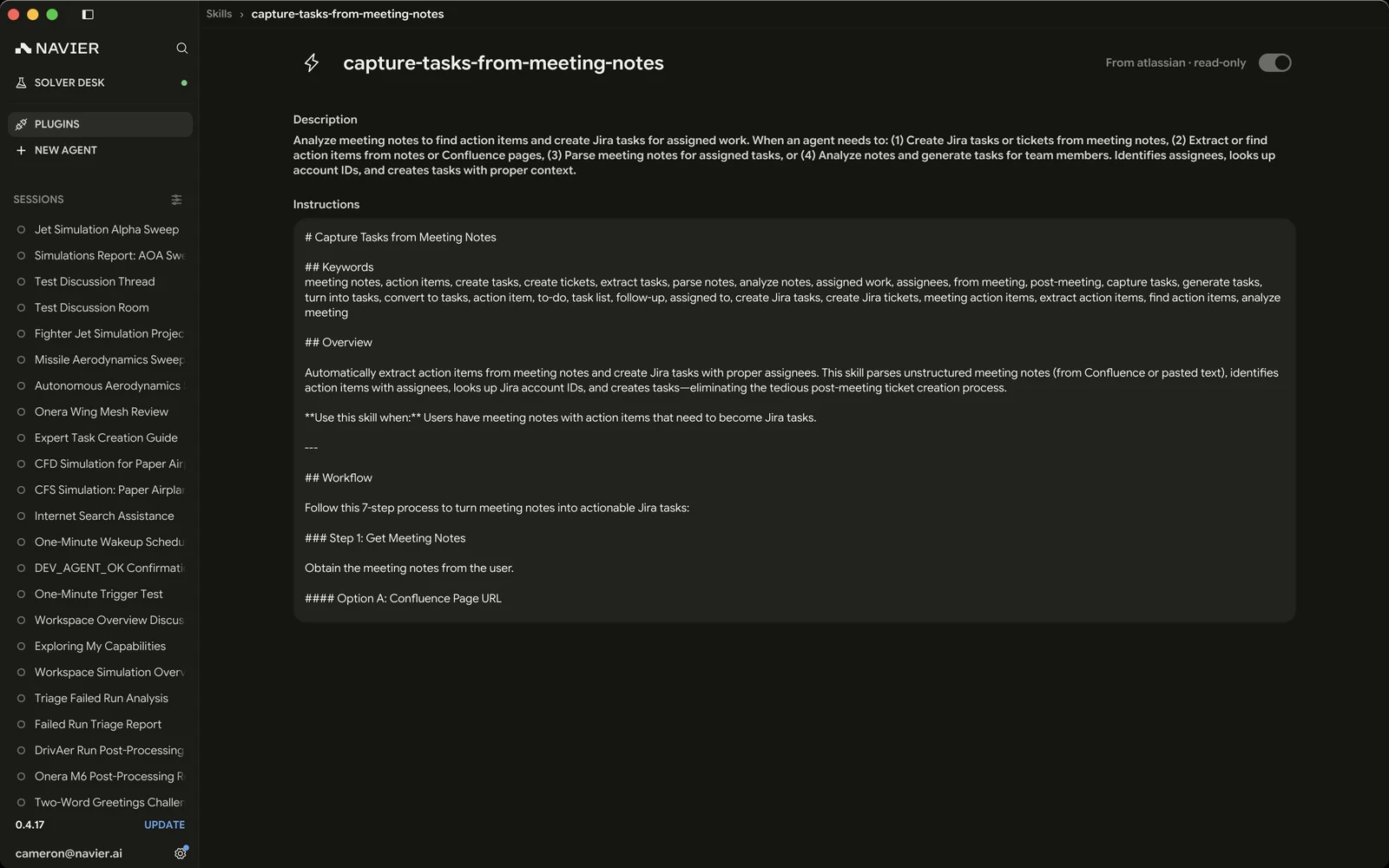
A plugin's skills are read-only: they belong to the plugin and are replaced when it upgrades. Yours are editable. A plugin's skills also follow the plugin's own switch — the skill page says off with its plugin rather than offering a switch of its own — so a plugin's skills cannot be turned off one at a time. See Skills.
Where plugins live
<config>/prism/plugins/
├── atlassian/            ← one folder per plugin, yours and the catalog's alike
│   ├── plugin.json         ← manifest: name, description, author, category
│   ├── mcp.json            ← the servers it runs
│   ├── skills/             ← the skills it contributes
│   └── icon.svg
├── my-plugin/
├── .catalog/             ← what the catalog sync knows, cached
├── .staging/             ← where a download lands before it replaces anything
└── enabled.json          ← what is installed, and what you turned on or off
Manifests follow the Agent Plugins 1.0.0 schema,
with Prism's additions (category, default state, icon) under an
extensions["ai.navier.prism"] key that other tools ignore.
Each plugin also gets a data directory at <config>/prism/plugin-data/<name>,
which is where a server keeps whatever it writes.
enabled.json holds the installation records and the choices you
made — a plugin absent from the choices uses its manifest default. If that file
is ever unreadable, Prism moves it aside and treats every plugin as off
until you choose again, rather than starting something you had switched off.
When something does not load
A folder that is not a plugin at all shows in a counted Not loaded section above the list, with a Remove on anything of yours. A plugin that loads but has a problem — a rejected server entry, a skill missing frontmatter, an unknown category — still runs, and says what it dropped: the row shows the first problem, and the plugin's page lists them all.
When a server exits
A server can die after connecting cleanly. Its row reads Error and says server process exited, instead of going on advertising tools that no longer answer.
Prism respawns it. While at least one plugin server is connected, it looks for exited ones every few seconds; the Plugins page and open threads pick up the respawned server, so its tools come back without your asking for them.
A tool call aimed at a server that has already exited respawns it first and then sends the call. One that dies during a call is not retried — that call may already have taken effect, so it is yours to repeat or not.
What plugins change
Once added, a server's tools become available to the agent alongside its built-in ones, and its skills join the set the agent can reach for. The agent decides when to use them, subject to the same permission model as everything else.
Practically, this is what turns "set up this analysis" into "set up the analysis described in LIN-2841, and comment on the issue when it converges".
Security
A plugin is code running on your machine with the credentials you gave it, and its outputs land in the agent's context.
- Add only plugins you trust. A plugin you write or import runs with your user's permissions.
- Scope credentials narrowly. Give a server read access if reading is all you need it for.
- Treat fetched content as untrusted input. An issue body, a page, or a log line is text someone else wrote. If the agent starts doing something you did not ask for shortly after reading external content, stop the turn and look at what it read.
- Review the diff. Nothing about a plugin changes the fact that file edits are reviewable — see Reviewing Changes.