Structural Cases
Ferro, Navier AI's structural FEM solver, is compiled into Prism. There is
nothing to install, nothing to license, and no separate process — opening a
.ferro/ bundle gives you a full structural workspace with the solver already
behind it.
This page covers using Ferro from Prism. For the solver itself — its project model, what each analysis type solves, its file formats — see the Ferro documentation.
The workspace
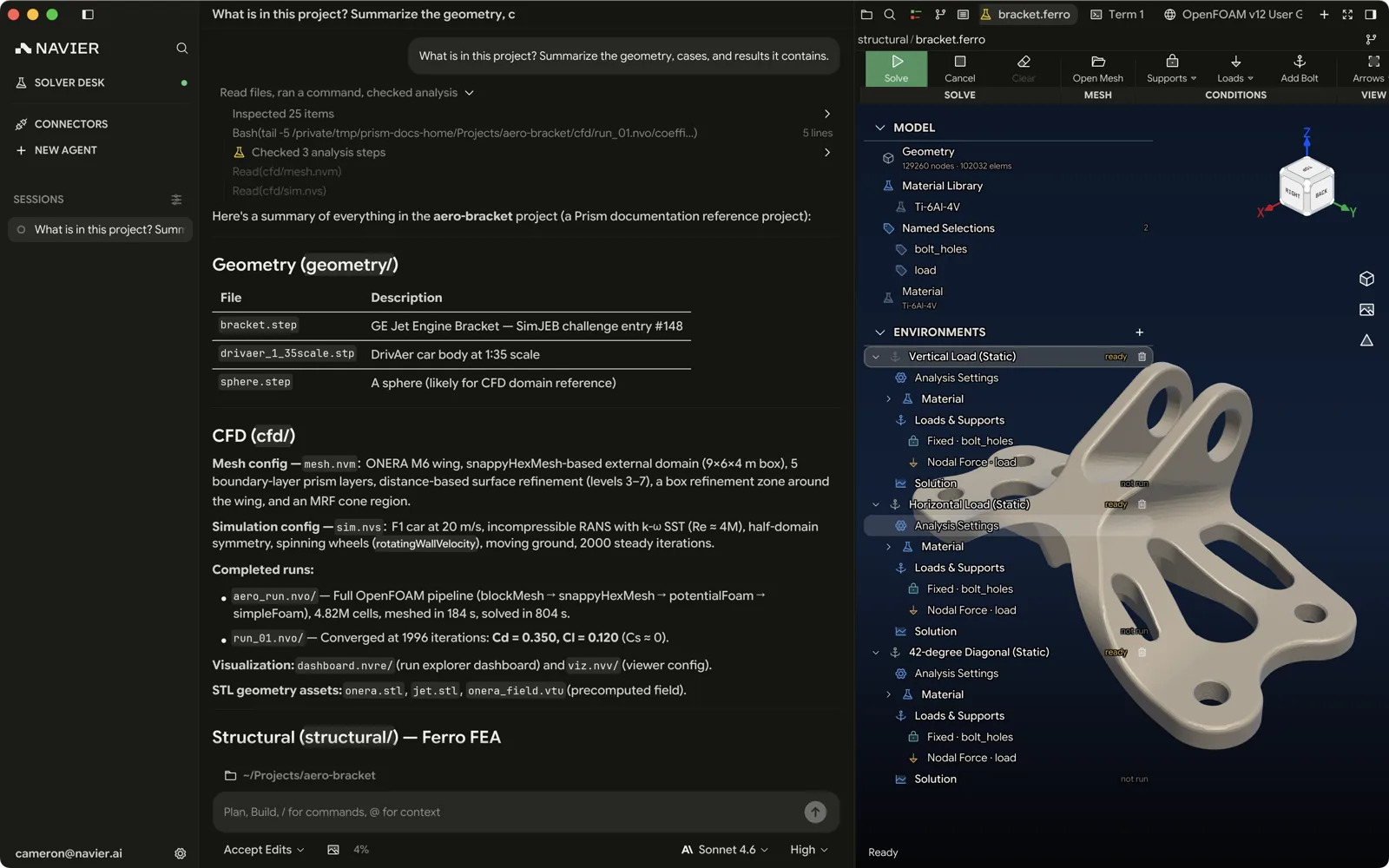
A .ferro/ bundle opens as a dedicated workspace rather than a text file:
| Region | What it holds |
|---|---|
| Ribbon | Supports, loads, solve controls, display options, export |
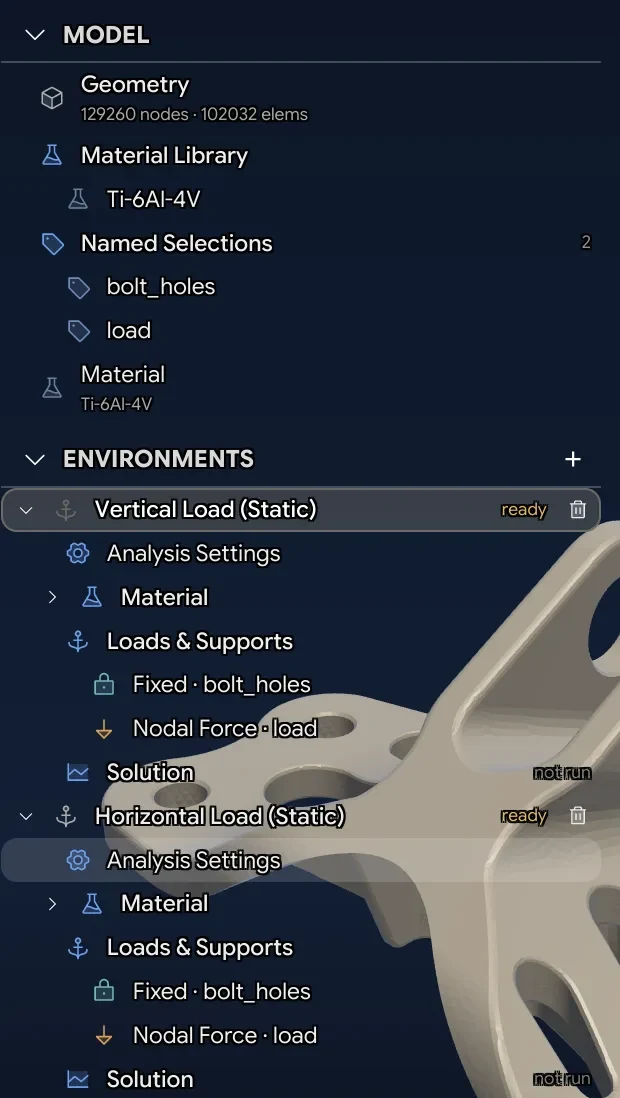
| Outline tree | The case: mesh, materials, named selections, and each environment with its loads and supports |
| Viewport | Mesh and results, with selection |
| Details panel | Properties of whatever is selected in the outline |
The structure follows Ferro's own model: a Case owns the mesh, materials, and named selections; each Environment owns one analysis with its own loads and supports. That is why switching from a static run to a modal run does not mean re-meshing — you add an environment to the same case.
Setting up a case
Mesh
A case needs a mesh. Prism ships an OCCT-backed mesher, so a STEP file can be meshed without leaving the app — this is what the agent uses when you hand it CAD rather than a mesh.
If you have gmsh installed separately, .msh files import directly.
The meshing-for-fea skill exists because the usual failure is not
mesh quality, it is missing physical groups. Every face that carries a
load or a constraint needs to be a named group the case can reference. Ask
for it explicitly when you have the agent mesh something.
Supports
From the ribbon:
| Support | Constrains |
|---|---|
| Fixed | All degrees of freedom |
| Displacement | Prescribed movement on selected components |
| Symmetry | Motion normal to a symmetry plane |
| Antisymmetry | The complementary condition |
Loads
| Load | Applies |
|---|---|
| Force | A force on a selection |
| Moment | A moment on a selection |
| Pressure | A distributed pressure on faces |
| Gravity | Body force from acceleration |
| Centrifugal | Body force from rotation |
Select the geometry in the viewport, add the load or support from the ribbon, and set its magnitude in the details panel.
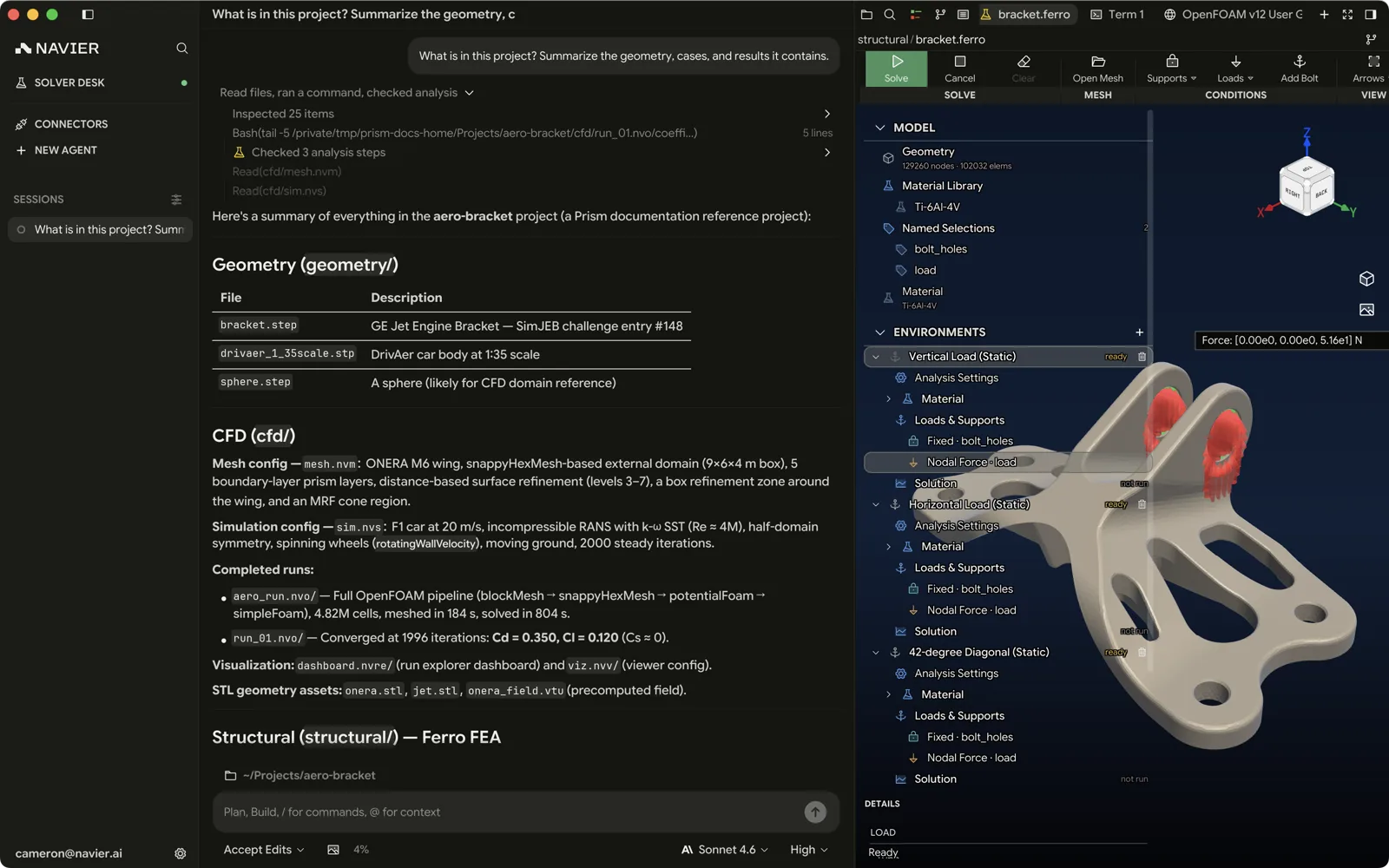
Ferro inputs are strictly SI — Pa, N, m, K, kg, Hz. There is no unit conversion anywhere in the pipeline. A case authored in millimetres solves without complaint and gives you a wrong answer. Check the units in the details panel and in the diff.
Solving
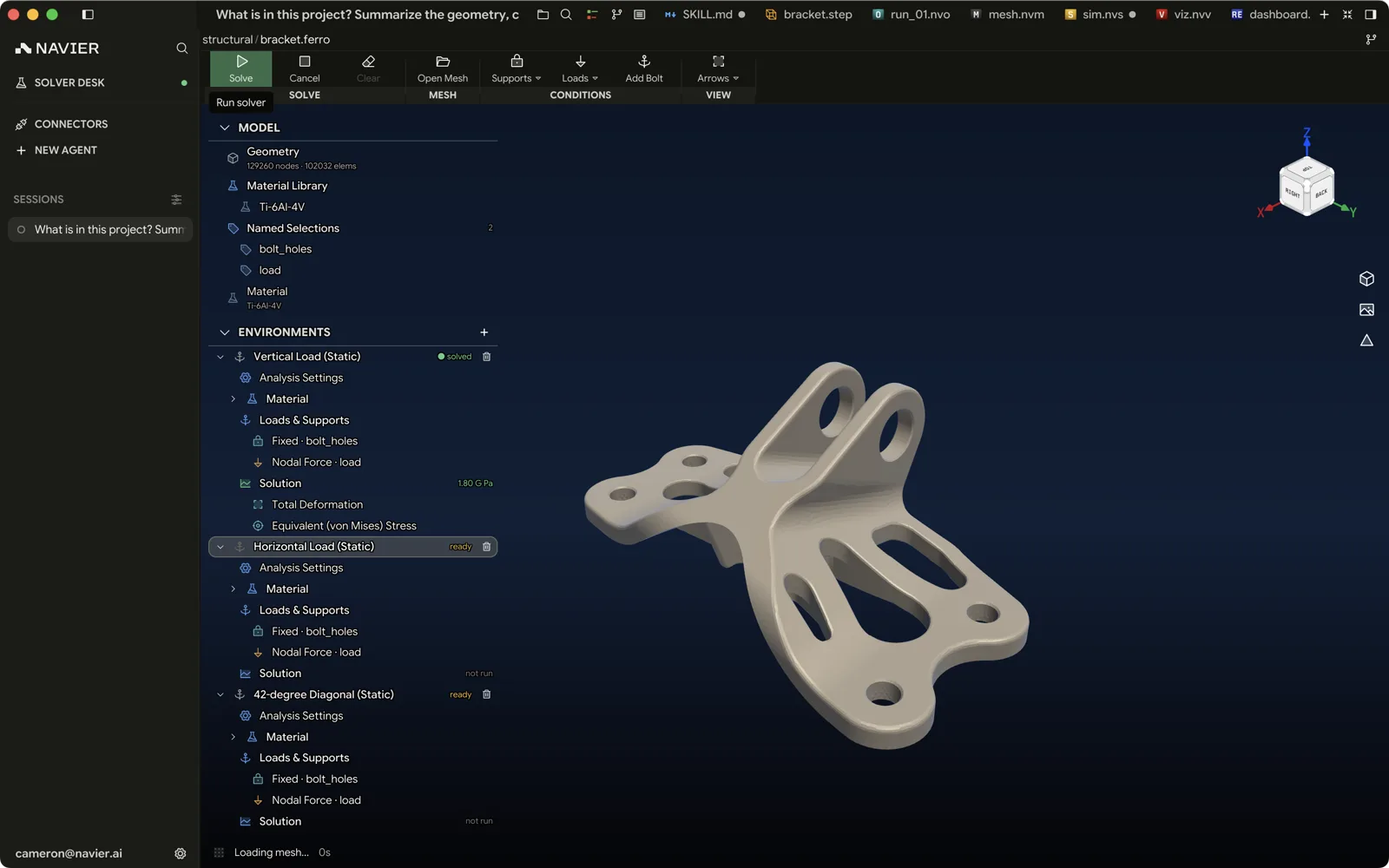
Solve in the ribbon runs the case in process. Cancel stops it. Progress reports in the workspace; results load into the viewport when it finishes.
Results
Fields and colour maps
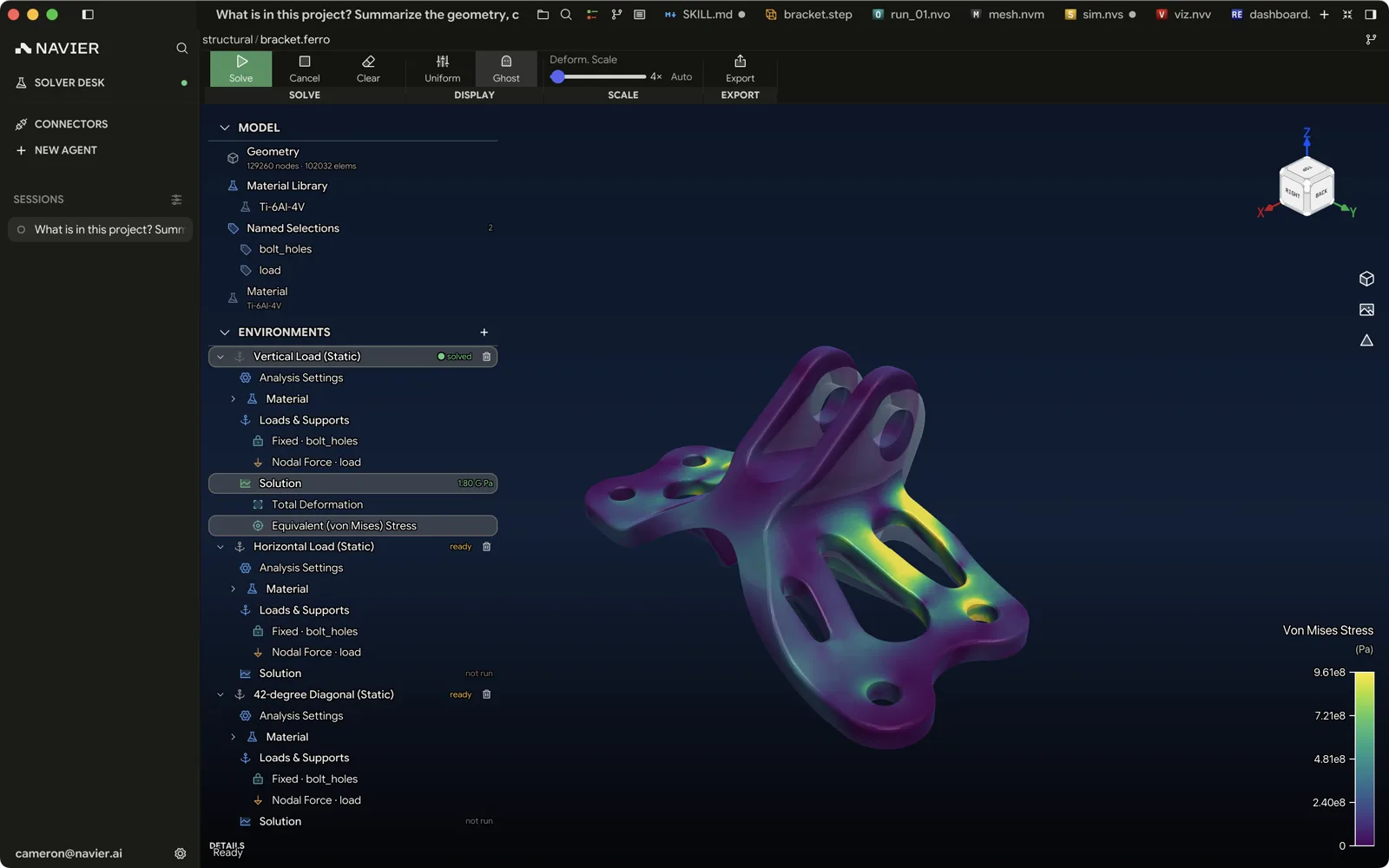
A solved static case puts Total Deformation and Equivalent (von Mises) Stress under the outline tree's Solution node; clicking one paints the model with it. A modal case lists its mode shapes there instead. The colour bar carries the range, and double-clicking it opens the colour-scale editor, which holds the colour map and the range limits.
Deformation scale
Results are drawn on the deformed shape, exaggerated so the deformation is
visible at all. When the result moves the mesh, that same colour-scale editor
gains a Displacement section holding the multiplier: a slider, with the current value read out beside the
heading as 250×, 250× · fit, 1× · true scale, or off.
Fit to model sizes the deformation to 5% of the bounding-box diagonal divided by the largest displacement — the setting that makes a real deflection legible without looking like a cartoon. True scale returns the multiplier to 1, for when you need the real deformed shape rather than an illustrative one. Each button appears only when it would change something, so the one you are already at is absent. On a modal case the fit is 1×, and the single button reads Reset.
Display options
With a result focused, the ribbon's DISPLAY group carries two toggles:
| Control | Effect |
|---|---|
| Uniform | Flat lighting, with no directional variation across the surface |
| Ghost | Draws the undeformed mesh as a translucent shell under the result |
Ghost starts on, and needs a result to have something to sit under.
Load and support glyphs are a setup concern: Arrows, in the ribbon's VIEW group while a setup item is focused, opens an Arrow Size slider that scales them.
Modal results
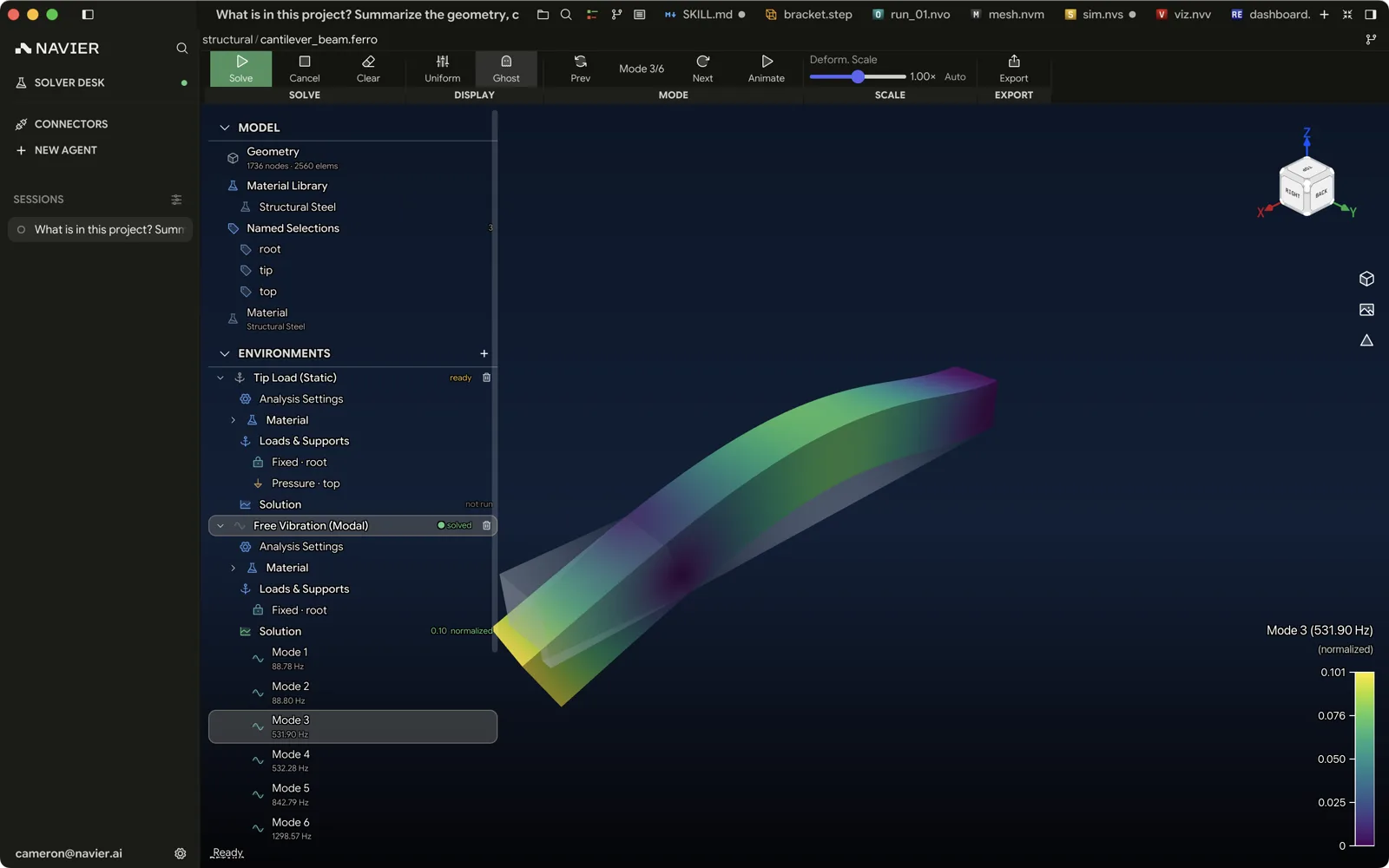
For a modal analysis the ribbon gains a MODE group reading Mode N/M, with Prev and Next to step through modes and Animate / Pause to run the mode shape as an animation. Each mode row carries its frequency.
Export
Export writes results out for use elsewhere.
Driving it with the agent
The agent has a full set of Ferro tools, which is usually the faster path:
| Tool | What it does |
|---|---|
prism_ferro_schema | The exact, current schema for a case — so it authors against the real thing |
prism_ferro_create | Creates a new .ferro project |
prism_ferro_author | Writes the case: materials, loads, supports |
prism_ferro_set_mesh | Attaches a mesh |
prism_ferro_run | Solves it |
prism_ferro_results | Reads results back |
prism_ferro_summary | Summarizes them — peak stress, margins |
Two skills sit on top of these: ferro-config-skill for a one-off analysis,
and structural-design-study for iterating a parametric part to a passing,
minimum-mass design.
A prompt that exercises the whole chain:
Analyze cad/bracket.step: fixed at the four M6 holes on the base,
1.2 kN vertical on the top face, 6061-T6. Mesh it, solve it, and
give me peak von Mises with the margin against yield at FoS 2.
Show me the stress figure when you're done.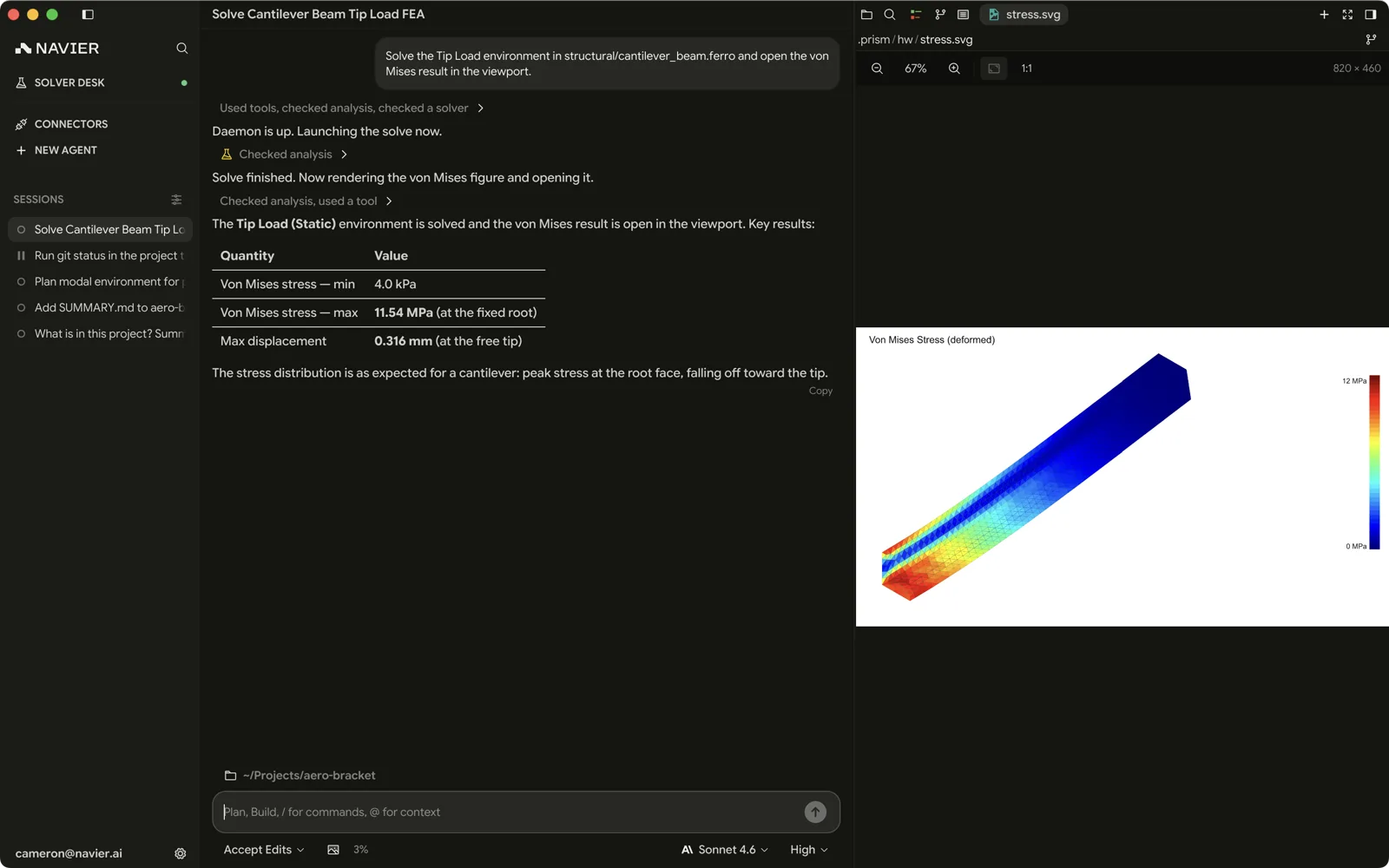
Checking the answer
An FEA result that looks plausible and is wrong is the expensive failure mode. Before you believe a number:
- Check the units. SI, everywhere, no exceptions.
- Check the constraints. An under-constrained model gives huge displacements; an over-constrained one gives artificially low stress.
- Check where the peak is. A peak at a constraint or a sharp re-entrant corner is usually a singularity, not a real stress.
- Check the mesh at the peak. If the answer changes materially with refinement, it has not converged.
- Sanity-check by hand. A cantilever bending stress off the back of an envelope should land within a factor of two.
Ask the agent for these — it will run the refinement study and report the comparison — but read the result yourself.